
Cafeteria Nipponica

Cafeteria Nipponica – Free Download – PC Game
Game Info:
Size: 26 MB
Genre: Simulation
Release Date: 4 Jul, 2022
Developer: Kairosoft Co.,Ltd
Publisher: Kairosoft Co.,Ltd
About This Game:
Cafeteria Nipponica is a restaurant-management simulation from Kairosoft where players build a small eatery into a successful chain. The game combines menu development, staff training, restaurant layout, ingredient discovery, and customer satisfaction in a compact management loop.
Rather than simply selling preset meals, players experiment with ingredients and recipes to improve dish quality and create new menu options. Different customers have preferences, and stronger dishes can raise the restaurant’s reputation and income.
How the Gameplay Works
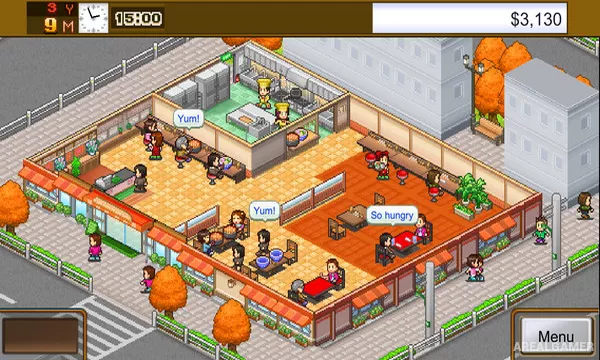
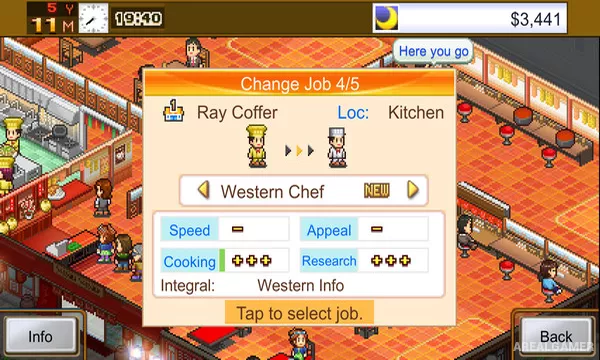
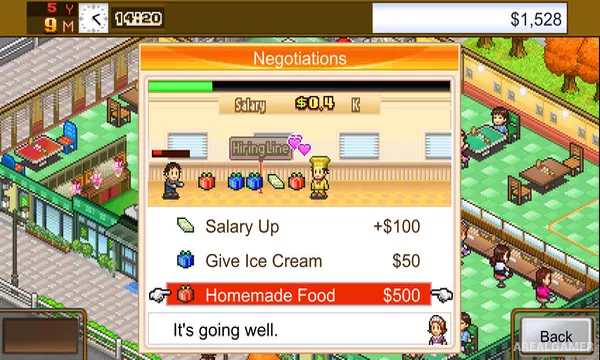
Players place tables and facilities, hire cooks and servers, train staff, develop recipes, and purchase ingredients. Restaurant location and layout influence how efficiently customers can be served.
Profits can be reinvested into better employees, new locations, research, and menu expansion. Competitions and evaluations provide additional goals, while discovering strong food combinations is a major part of progression. The game rewards balancing kitchen quality with efficient service rather than focusing on only one side of the business. What keeps the experience varied is the connection between restaurant management, recipe and ingredient development, and staff hiring and training. Each one solves a different problem, and later situations often require several of them to be used together. restaurant layout then provides another reason to refine the current approach, especially when mistakes become more expensive or recovery becomes harder.
Main Gameplay Features
Restaurant management
Recipe and ingredient development
Staff hiring and training
Restaurant layout
Customer satisfaction
Multiple locations
Kairosoft progression
Screenshots:
Minimum System Requirements:
OS: Windows 10, 64-bit
CPU: Intel Atom® x7-Z8750
RAM: 1 GB
Video Card: DX 10 Compatible
Space Required: 250 MB
DirectX: 10
How to Install:
Extract the game using Winrar or 7zip.
Open “Cafeteria Nipponica” >> “Game” folder.
Double click on “KairoGames” icon to play the game. Enjoy!
Click the Below Button to Proceed to Download Page
File Password: arealgamer