
Five Nights at Freddy’s 3


Five Nights at Freddy’s 3 – Free Download – PC Game
Game Info:
Size: 109 MB
Genre: Horror
Release Date: 3 Mar, 2015
Developer: Scott Cawthon
Publisher: Scott Cawthon
About This Game:
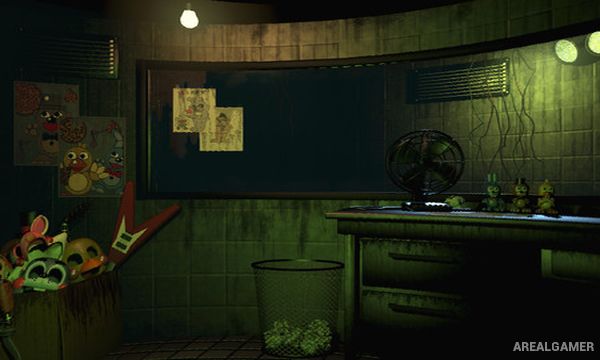
Five Nights at Freddy’s 3 takes place decades after the closure of Freddy Fazbear’s Pizza, when the restaurant’s old stories have been turned into a horror attraction called Fazbear’s Fright. Players work inside the attraction while its owners collect old props and equipment from abandoned locations in an attempt to make the experience feel authentic.
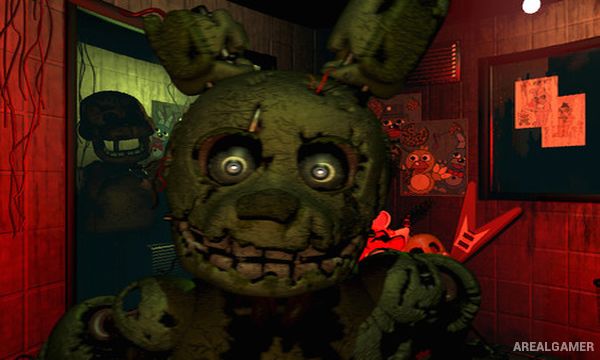
The situation becomes far more dangerous when a real animatronic known as Springtrap is discovered and brought into the building. Unlike earlier games, Springtrap is the main physical threat, while hallucination-like Phantom animatronics interfere with the systems needed to keep him away.
How the Gameplay Works
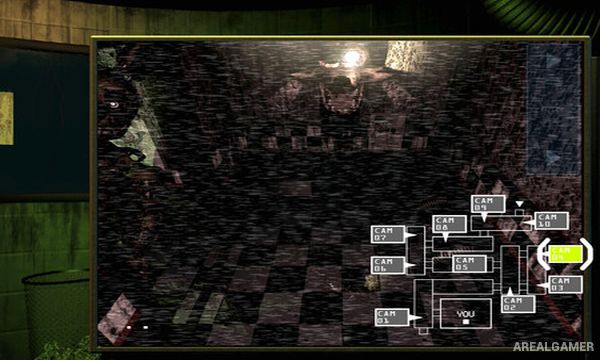
Players monitor cameras to locate Springtrap and can play audio recordings in selected rooms to lure him away from the office. Ventilation paths can be sealed to block certain routes, but only one vent connection can be closed at a time.
The camera, audio, and ventilation systems can fail and must be rebooted through a maintenance panel. Phantom animatronics can trigger additional failures when they appear, making it harder to track Springtrap. Hidden mini-games and clues also reveal more information about the earlier events surrounding the restaurant.
Main Gameplay Features
Springtrap as the main physical enemy
Security camera monitoring
Audio lure system
Vent sealing
Camera system failures
Audio system failures
Ventilation failures
System reboot panel
Phantom animatronic encounters
Five-night progression
Increasing difficulty
Hidden mini-games
Multiple endings
Story-related secrets
Single-player survival horror
Screenshots:
Minimum System Requirements:
OS: Windows XP/Vista/7/8/10
CPU: 2 GHz Intel Pentium 4 or AMD Athlon or equivalent
RAM: 1 GB
Video Card: 1 GB
Space Required: 250 MB
How to Install:
Extract the game using Winrar or 7zip.
Open “Five Nights at Freddy’s 3″ folder, double click on “Setup” and proceed install.
After installation complete, go to the “Installed Game” location.
Double click on “Game” icon to play the game. Enjoy!
Click the Below Button to Proceed to Download Page
File Password: arealgamer