
Iron Man 1


Iron Man 1 – Free Download – PC Game
Game Info:
Size: 2.36 GB
Genre: Action, Adventure
Release Date: May 6, 2008
Developer: Artificial Mind & Movement
Publisher: Sega
About This Game:
Iron Man is a superhero action game inspired by Marvel’s armored hero and elements of the 2008 film. Players control Tony Stark in different versions of the Iron Man suit as he battles armed organizations, military vehicles, aircraft, and heavily equipped enemies across large combat areas.
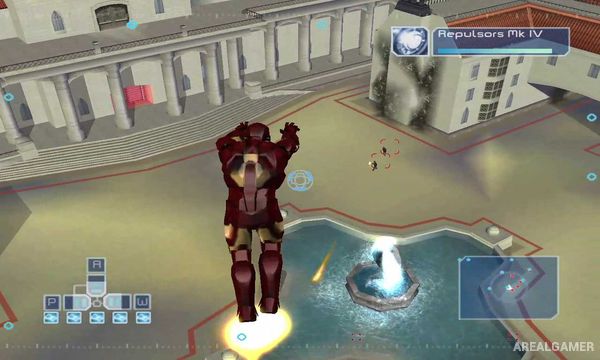
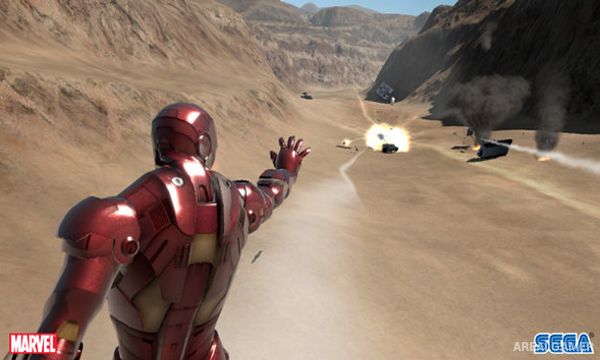
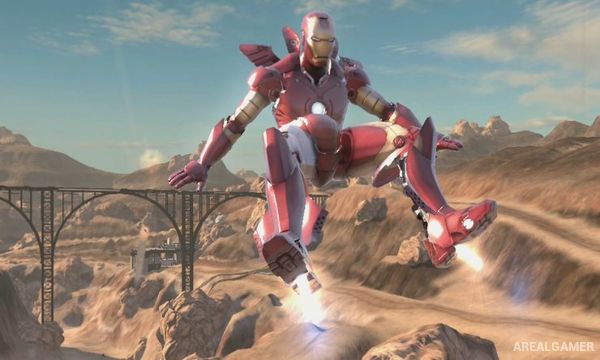
Flight is a major part of the experience, allowing Iron Man to move vertically through environments rather than remaining restricted to the ground. Repulsors, missiles, and other suit weapons provide several ways to attack enemies while armor upgrades allow different aspects of the suit to be improved.
How the Gameplay Works
Players can walk, hover, and fly around mission environments while targeting enemies from different directions. Repulsor blasts provide a frequently available ranged attack, while missiles and additional weapons can deal heavier damage against vehicles and stronger opponents.
Mission objectives involve destroying targets, protecting locations, fighting enemy forces, and defeating powerful bosses. Suit systems and available upgrades allow players to improve offensive or defensive capabilities as the campaign progresses, while the freedom of flight makes it possible to attack many objectives from above.
Main Gameplay Features
Playable Marvel superhero Iron Man
Ground and aerial combat
Free-flight movement
Repulsor attacks
Missiles and additional suit weapons
Armored enemy vehicles
Airborne opponents
Large mission environments
Suit upgrades
Story-based campaign
Boss battles
Multiple Iron Man armor designs
Screenshots:
Minimum System Requirements:
OS: Windows 2000/XP/Vista
CPU: Intel Pentium 4 @ 2.8 GHz / AMD Athlon 64 3000+
RAM: 1 GB
Video Card: 256 MB, nVidia GeForce 6800 / ATI Radeon X1600
Space Required: 4 GB
DirectX: 9.0c
How to Install:
Extract the game using Winrar or 7zip.
Open “Iron Man 1” folder, double click on “Setup” and proceed install.
After installation complete, go to the “Installed Game” location.
Double click on “Game” icon to play the game. Enjoy!
Click the Below Button to Proceed to Download Page
File Password: arealgamer