
One Piece: Pirate Warriors 3


One Piece: Pirate Warriors 3 – Free Download – PC Game
Game Info:
Size: 9.9 GB
Genre: Action, Adventure
Release Date: 28 Aug, 2015
Developer: KOEI TECMO GAMES CO., LTD.
Publisher: BANDAI NAMCO Entertainment
About This Game:
One Piece: Pirate Warriors 3 combines the characters and story of One Piece with large-scale Musou combat. The campaign follows Luffy and the Straw Hat crew through major arcs beginning in East Blue and continuing through much of their journey, recreating famous confrontations alongside an original interpretation of later events.
Dozens of One Piece characters appear as playable fighters or allies, each capable of clearing large groups of enemies using exaggerated attacks based on their abilities from the manga and anime.
How the Gameplay Works
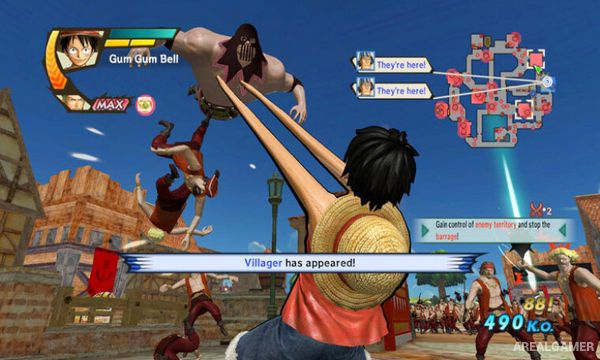
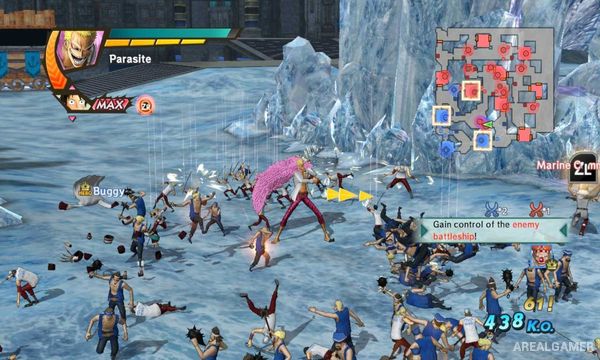
Players move across large battle maps containing hundreds of enemy soldiers, capture territories, assist allies, defeat officers, and complete mission objectives. Normal and heavy attacks combine into character-specific strings, while special gauges power larger signature techniques.
The Kizuna system allows allied characters to assist during combos and can trigger powerful team attacks. Characters gain levels and unlock improvements over time, while Dream Log provides additional battles outside the main story campaign.
Main Gameplay Features
Large-scale Musou combat
Extensive One Piece character roster
Hundreds of enemies per battle
Territory capture
Character-specific combos
Signature special attacks
Kizuna partner system
Story campaign covering major arcs
Dream Log mode
Character leveling and upgrades
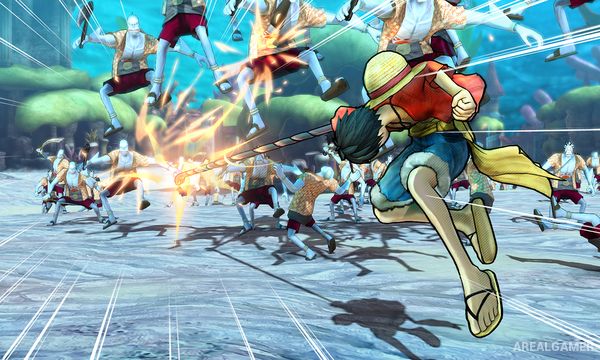
Screenshots:
Minimum System Requirements:
OS: Windows 7/8/10
CPU: Core 2 Duo 2.4 GHz
RAM: 2 GB
Video Card: 512 MB Nvidia GeForce 8800 / ATI Radeon HD 3870
Space Required: 13 GB
DirectX: 9.0c
How to Install:
Extract the game using Winrar or 7zip.
Open “One Piece: Pirate Warriors 3″ folder, double click on “Setup” and proceed install.
After installation complete, go to the “Installed Game” location.
Double click on “Launcher” icon to play the game. Enjoy!
Click the Below Button to Proceed to Download Page
File Password: arealgamer