
Station to Station

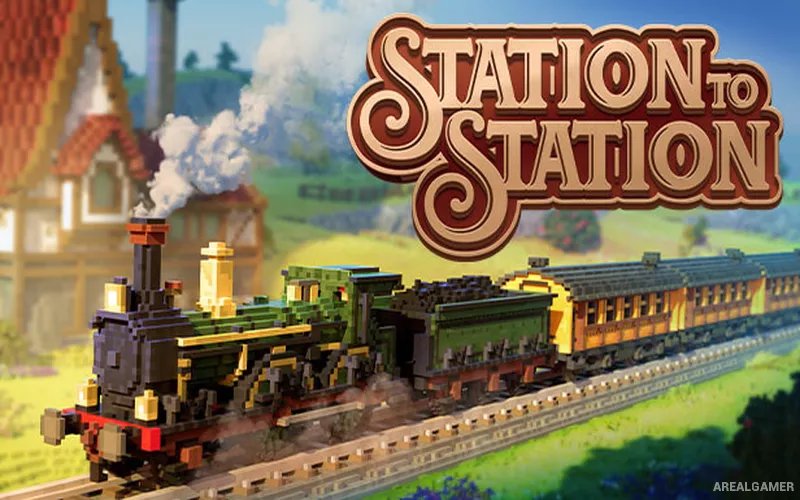
Station to Station – Free Download – PC Game
Game Info:
Size: 2.18 GB
Genre: Simulation
Release Date: 3 Oct, 2023
Developer: Galaxy Grove
Publisher: Prismatika
About This Game:
Station to Station is a relaxing railway-building puzzle game where players connect small voxel landscapes by placing tracks between stations, farms, industries, and towns. Each level begins sparsely and gradually comes alive as rail connections create economic links.
The game keeps its rules simple but introduces increasingly awkward terrain, limited money, bridges, and optional goals that reward efficient track placement.
How the Gameplay Works
Players select stations and draw railway lines across the map, paying more when tracks are longer or cross difficult terrain. Connecting compatible industries or settlements generates income, allowing the network to expand further.
New buildings appear as the economy develops, turning early track choices into part of a larger network puzzle. Optional challenges may ask for specific routes, limited spending, or special connections. There is no timetable micromanagement or direct train control; the focus stays on the satisfying act of linking a compact world together. What keeps the loop varied is the interaction between relaxing railway puzzle gameplay, voxel landscapes, and track-cost management. Those systems create different priorities from one situation to another, while industry and town connections gives the player a clear reason to keep improving efficiency, positioning, equipment, or planning as the challenge grows.
Main Gameplay Features
Relaxing railway puzzle gameplay
Voxel landscapes
Track-cost management
Industry and town connections
Bridges and terrain challenges
Optional objectives
No direct train micromanagement
Screenshots:


Minimum System Requirements:
OS: Windows 10, 64-bit
CPU: Quad-Core
RAM: 8 GB
Video Card: GeForce 770M, AMD HD 5970
Space Required: 7 GB
DirectX: 11
How to Install:
Extract the game using Winrar or 7zip.
Open “Station to Station” folder, double click on “Setup” and proceed install.
After installation complete, open “RUNE” folder.
Copy all files and paste it where you “Installed the Game”.
Double click on “Game” icon to play the game. Enjoy!
Click the Below Button to Proceed to Download Page
File Password: arealgamer