
The Temple of Elemental Evil


The Temple of Elemental Evil – Free Download – PC Game
Game Info:
Size: 1.14 GB
Genre: RPG
Release Date: 16 Sep, 2003
Developer: Troika Games
Publisher: Hasbro Inc.
About This Game:
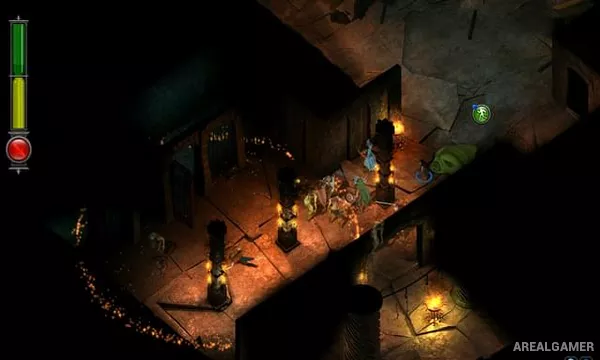
The Temple of Elemental Evil is a party-based computer RPG adapted from the classic Dungeons & Dragons adventure. Players create a group of adventurers and travel to the region around Hommlet, where rumors suggest that the infamous temple and the evil once contained inside it may again be becoming active.
The game is particularly focused on translating tabletop combat into a digital format, using Dungeons & Dragons 3.5 Edition rules for classes, feats, spells, attacks of opportunity, movement, alignment, and many other systems.
How the Gameplay Works
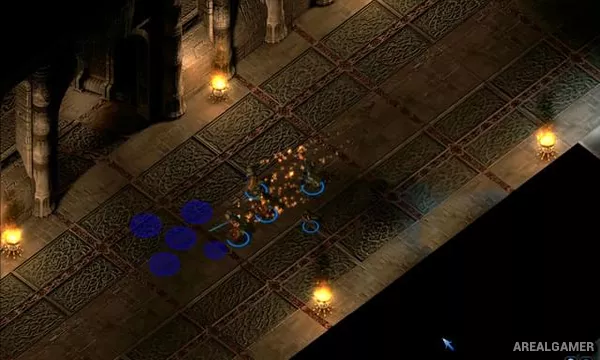
Exploration takes place in real time, but combat switches to a turn-based system where each party member receives actions based on initiative. Players position characters, use melee and ranged attacks, cast spells, perform special actions, and account for tactical effects such as flanking.
Quests, dialogue, loot, character levels, and equipment develop the party over the course of the campaign. Starting alignment can influence the opening situation and some available decisions, giving different parties slightly different paths into the story.
Main Gameplay Features
Dungeons & Dragons 3.5 Edition rules
Turn-based tactical combat
Custom adventuring party
Classes, races, feats, and skills
Extensive spell selection
Alignment-based role-playing
Isometric exploration
Equipment and character progression
Multiple quest solutions
Screenshots:

Minimum System Requirements:
OS: Windows XP/Vista/7/8/10
CPU: 1.8 GHz
RAM: 512 MB
Video Card: 3D graphics card compatible with DirectX 9
Space Required: 2 GB
DirectX: 9.0c
How to Install:
Extract the game using Winrar or 7zip.
Open “The Temple of Elemental Evil” folder, double click on “Setup” and proceed install.
After installation complete, go to the “Installed Game” location.
Double click on “Game” icon to play the game. Enjoy!
Click the Below Button to Proceed to Download Page
File Password: arealgamer