
Tom Clancy’s Splinter Cell: Conviction


Tom Clancy’s Splinter Cell: Conviction – Free Download – PC Game
Game Info:
Size: 5.44 GB
Genre: Shooter
Release Date: April 27, 2010
Developer: Ubisoft Montreal
Publisher: Ubisoft
About This Game:
Tom Clancy’s Splinter Cell: Conviction follows Sam Fisher after he leaves Third Echelon and begins investigating the death of his daughter. The search pulls him into a conspiracy involving his former agency and a threat against the United States.
The game makes Sam faster and more aggressive than in earlier entries. Stealth remains important, but close-quarters takedowns, rapid movement, and the Mark and Execute system encourage players to flow between hiding and decisive attacks.
How the Gameplay Works
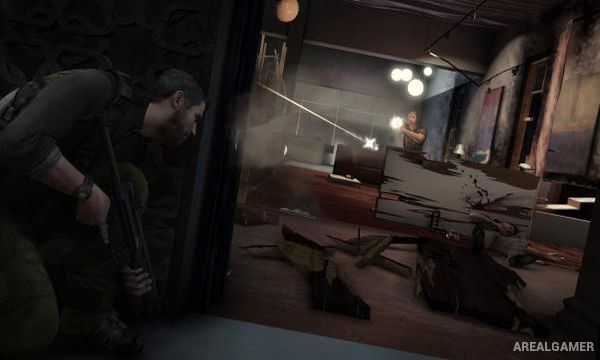
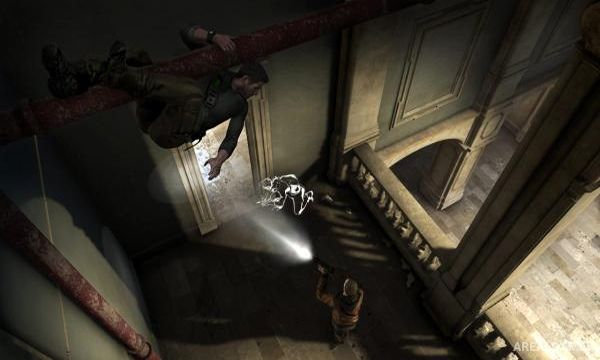
Players move through shadows, climb, use cover, perform hand-to-hand eliminations, and mark multiple enemies before executing them with quick gunshots. A Last Known Position silhouette shows where enemies believe Sam was last seen, allowing players to flank distracted guards.
Weapons can be upgraded, and gadgets provide additional options for clearing rooms. Separate co-op content follows agents Archer and Kestrel through missions that require coordinated stealth and combat.
Main Gameplay Features
Fast third-person stealth action
Mark and Execute targeting
Last Known Position system
Close-quarters takedowns
Cover movement and shadow-based stealth
Upgradeable firearms
Gadgets and environmental opportunities
Separate two-player cooperative campaign
Screenshots:

Minimum System Requirements:
OS: Windows XP/Vista/7
CPU: Intel Core 2 DUO @ 2.0 GHz / AMD Athlon 64 X2 3800+
RAM: 2 GB
Video Card: 256 MB, NVIDIA GeForce 7800 / ATI Radeon X1800
Space Required: 10 GB
DirectX: 9.0c
How to Install:
Extract the game using Winrar or 7zip.
Open “Tom Clancy’s Splinter Cell: Conviction” folder, double click on “Setup” and proceed install.
After installation complete, go to the “Installed Game” location.
Open “src” >> “system” Folder, double click on “Conviction_game” icon to play the game. Enjoy!
Click the Below Button to Proceed to Download Page
File Password: arealgamer