
Universe Sandbox


Universe Sandbox – Free Download – PC Game
Game Info:
Size: 1.18 GB
Genre: Simulation
Release Date: 24 Aug, 2015
Developer: Giant Army
Publisher: Giant Army
About This Game:
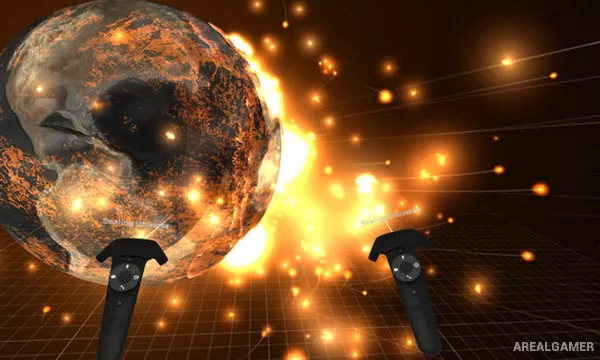
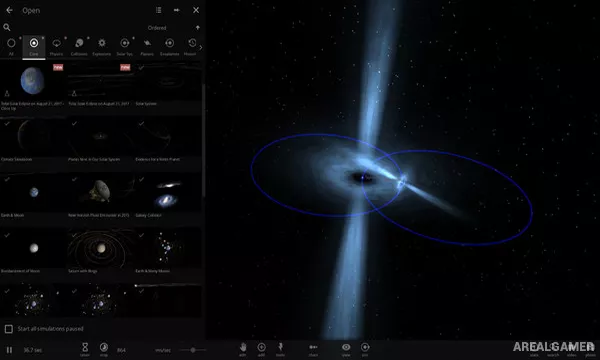
Universe Sandbox is an interactive space simulation that allows players to create, modify, and destroy astronomical systems using real-time physics. Existing simulations can recreate parts of the Solar System and other known objects, while custom scenarios allow planets, stars, moons, black holes, and smaller bodies to be arranged freely.
The simulation is designed for both experimentation and entertainment. Changing the mass, velocity, temperature, composition, orbit, or position of a celestial body can produce dramatic results ranging from stable new systems to planetary collisions and stellar destruction.
How the Gameplay Works
Players can pause time, accelerate it across enormous scales, move objects, alter their properties, or introduce entirely new bodies into a simulation. Gravity then determines how those objects interact unless additional settings are changed.
Collisions can generate heat and material changes, while climate and surface simulations help illustrate what altered conditions might do to planets. Users can save their own experiments and explore scenarios created around astronomical events.
Main Gameplay Features
Real-time gravity simulation
Planets, moons, stars, and black holes
Custom solar-system creation
Celestial collisions
Orbital manipulation
Climate and temperature simulation
Adjustable time scale
Editable object properties
VR support
Screenshots:

Minimum System Requirements:
OS: Windows 7/8/10, 64-bits
CPU: 1.6 GHz dual-core
RAM: 2 GB
Video Card: 2 GB, Shader Model 5.0
Space Required: 2 GB
DirectX: 11
How to Install:
Extract the game using Winrar or 7zip.
Open “Universe Sandbox” folder, double click on “Setup” and proceed install.
After installation complete, go to the “Installed Game” location.
Double click on “Game” icon to play the game. Enjoy!
Click the Below Button to Proceed to Download Page
File Password: arealgamer