
BloodRayne 2: Terminal Cut


BloodRayne 2: Terminal Cut – Free Download – PC Game
Game Info:
Size: 7.79 GB
Genre: Action
Release Date: 20 Nov, 2020
Developer: Terminal Reality
Publisher: Ziggurat
About This Game:
BloodRayne 2: Terminal Cut is an enhanced PC version of Rayne’s second major adventure, set decades after the original game. Rayne hunts members of her vampire family while uncovering a plan to create an environment where vampires can survive openly and dominate humanity.
The sequel expands Rayne’s acrobatic combat with more elaborate combos, environmental interactions, new vampire powers, and specialized guns fed by her own blood supply. Terminal Cut improves the PC presentation and compatibility while keeping the original campaign intact.
How the Gameplay Works
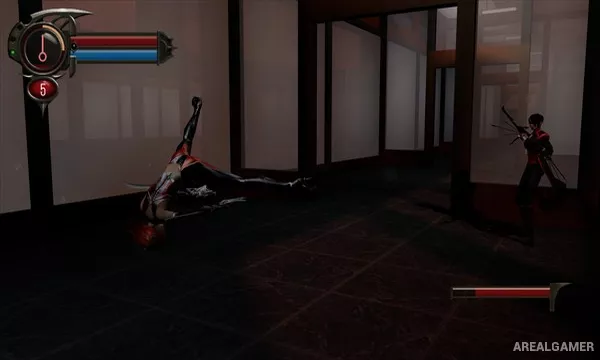
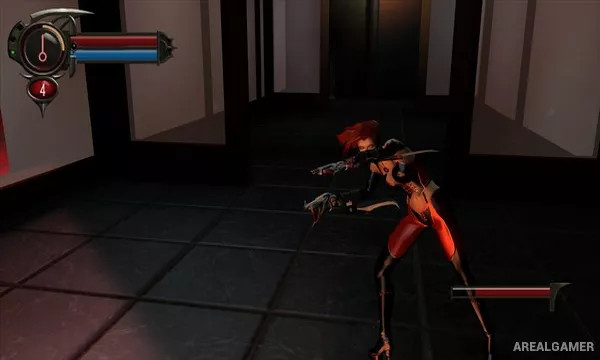
Rayne fights using her arm blades, harpoon, kicks, firearms, and unlockable vampire abilities. The harpoon can pull enemies toward Rayne or throw them into environmental hazards such as machinery, spikes, and other dangerous objects.
Feeding restores health and can also help replenish ammunition for Rayne’s blood-powered guns. Acrobatics such as rail grinding and pole movement appear throughout levels, giving traversal a larger role than in the first game.
Main Gameplay Features
Third-person vampire combat
Expanded blade combo system
Harpoon weapon
Environmental kills
Blood-powered firearms
Feeding and health recovery
Unlockable vampire abilities
Acrobatic traversal
Enhanced Terminal Cut presentation
Screenshots:

Minimum System Requirements:
OS: Windows 8/10, 64-bits
CPU: Intel 4th Generation Core i3, i5, i7
RAM: 2 GB
Video Card: Intel HD Graphics 520 or higher
Space Required: 15 GB
DirectX: 11
How to Install:
Extract the game using Winrar or 7zip.
Open “BloodRayne 2 Terminal Cut” folder, double click on “Setup” and proceed install.
After installation complete, open “CODEX” folder.
Copy all files and paste it where you “Installed the Game”.
Double click on “Game” icon to play the game. Enjoy!
Click the Below Button to Proceed to Download Page
File Password: arealgamer