
Jack Move


Jack Move – Free Download – PC Game
Game Info:
Size: 1.74 GB
Genre: RPG
Release Date: 8 Sep, 2022
Developer: So Romantic
Publisher: HypeTrain Digital
About This Game:
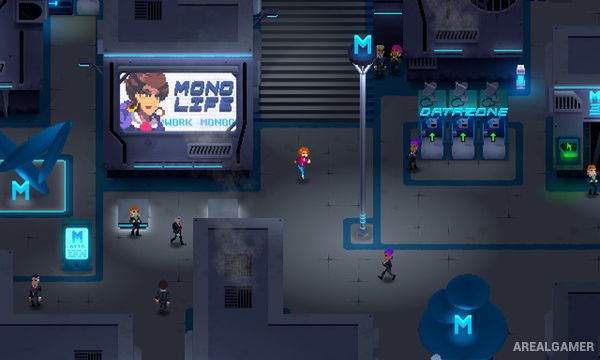
Jack Move is a cyberpunk Japanese-style RPG following Noa Solares, a skilled vigilante hacker living in the futuristic city of Monomind. After her estranged father becomes connected to a powerful corporation’s dangerous plans, Noa is pulled into a larger conflict involving corporate technology, cybernetic threats, and the digital world.
The game combines colorful pixel art with a technology-focused setting inspired by classic turn-based RPGs. Characters, locations, enemies, and abilities all revolve around computing themes, giving familiar role-playing systems their own cyberpunk interpretation.
How the Gameplay Works
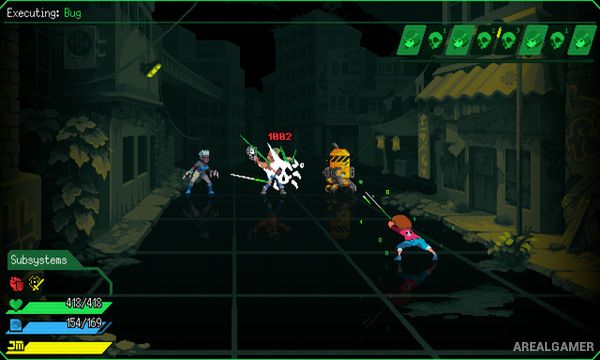
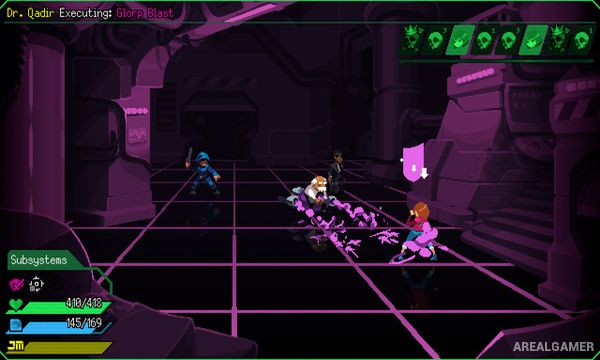
Combat uses turn-based battles where Noa installs different software abilities to attack enemies, defend herself, heal, or exploit weaknesses. Software can be swapped to adjust her available skills, allowing the player to prepare different configurations depending on the enemies ahead.
Hardware upgrades improve Noa’s overall capabilities, while combat actions build toward powerful Jack Move abilities. Outside battle, players explore urban environments, interact with characters, follow story objectives, and enter cyberspace-inspired areas filled with hostile digital entities.
Main Gameplay Features
Turn-based cyberpunk RPG combat
Customizable software-based abilities
Hardware upgrades for character progression
Elemental and enemy weakness system
Powerful Jack Move special attacks
Pixel-art futuristic environments
Exploration of physical and digital locations
Story centered around hacking and corporate control
Screenshots:
Minimum System Requirements:
OS: Windows 10, 64-bits
CPU: 1.8 GHz
RAM: 1 GB
Video Card: 512 MB graphics card compatible with DirectX 9
Space Required: 2 GB
DirectX: 9.0c
How to Install:
Extract the game using Winrar or 7zip.
Open “Jack Move” folder, double click on “Setup” and proceed install.
After installation complete, go to the “Installed Game” location.
Double click on “Game” icon to play the game. Enjoy!
Click the Below Button to Proceed to Download Page
File Password: arealgamer