
Mafia II: Definitive Edition


Mafia II: Definitive Edition – Free Download – PC Game
Game Info:
Size: 38.5 GB
Genre: Action, Adventure, Open World
Release Date: 19 May, 2020
Developer: Hangar 13, D3T
Publisher: 2K Games
About This Game:
Mafia II: Definitive Edition follows Vito Scaletta through organized crime in Empire Bay during the 1940s and 1950s. After returning from military service, Vito is drawn into jobs for criminal families and gradually moves deeper into a life shaped by money, loyalty, violence, and consequences.
The city changes with the era, shifting from wartime winter streets to a brighter postwar setting with different cars, music, clothing, and atmosphere. The Definitive Edition updates the presentation while keeping the original story and mission structure.
How the Gameplay Works
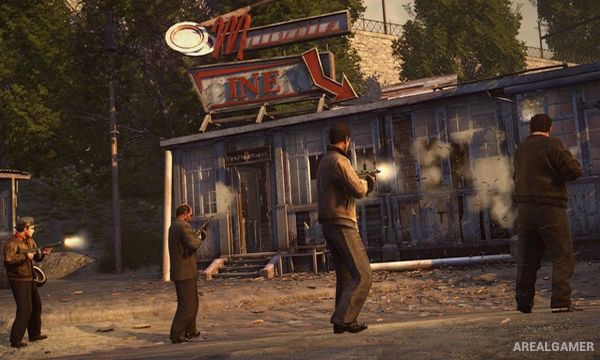
Players drive period vehicles, use firearms, take cover, fight in melee, evade police, and move between story missions across the city. Police can respond to speeding, collisions, theft, weapons, and violent crimes, creating different levels of attention.
Cars can be stored and customized, while clothing shops, gun stores, fuel stations, and other businesses support the open-city structure. The campaign remains largely story-driven, with missions ranging from robberies and chases to shootouts and quieter character scenes.
Main Gameplay Features
Story-driven organized crime campaign
Open-city Empire Bay setting
1940s and 1950s period changes
Third-person cover shooting
Vehicle driving and police response
Car garages and customization
Hand-to-hand fighting
Remastered visual presentation
Screenshots:


Minimum System Requirements:
OS: Windows 8.1 64-bit
CPU: Intel i5-2500K or AMD FX-8120
RAM: 6 GB
Video Card: 2GB NVIDIA GeForce GTX 660 or 2GB AMD Radeon HD7870
Space Required: 50 GB
How to Install:
Extract the game using Winrar or 7zip.
Open “Mafia II: Definitive Edition” folder, double click on “Setup” and proceed install.
After installation complete, open “CODEX” folder.
Copy all files and paste it where you “Installed the Game”.
Now double click on “Game” icon to play the game. Enjoy!
Click the Below Button to Proceed to Download Page
File Password: arealgamer