
Natsuki Chronicles


Natsuki Chronicles – Free Download – PC Game
Game Info:
Size: 4.10 GB
Genre: Action, Arcade
Release Date: 18 Feb, 2021
Developer: Qute
Publisher: Rising Star Games
About This Game:
Natsuki Chronicles is a side-scrolling shoot-’em-up set in the same universe as Ginga Force. The story follows Natsuki as she develops from a new pilot into a more experienced combatant, with missions providing additional background on characters and events from the larger setting.
The game combines fast shooting action with a structured progression system. Weapons can be unlocked and equipped between stages, allowing players to adapt their loadout instead of being restricted to a single fixed firing pattern throughout the campaign.
How the Gameplay Works
Players fly through horizontally scrolling stages while destroying waves of enemies, avoiding projectiles, and confronting large bosses. Separate forward and rear weapons allow threats from different directions to be handled without constantly turning the ship around.
Completing missions provides access to additional weapons and equipment that can be selected before future stages. Story Mode introduces mechanics gradually, while Arcade-style play provides a more traditional continuous shoot-’em-up challenge.
Main Gameplay Features
Horizontal shoot-’em-up combat
Forward and rear firing systems
Unlockable weapons and equipment
Loadout customization
Story-driven mission progression
Large boss battles
Multiple difficulty options
Arcade-style game mode
Screenshots:
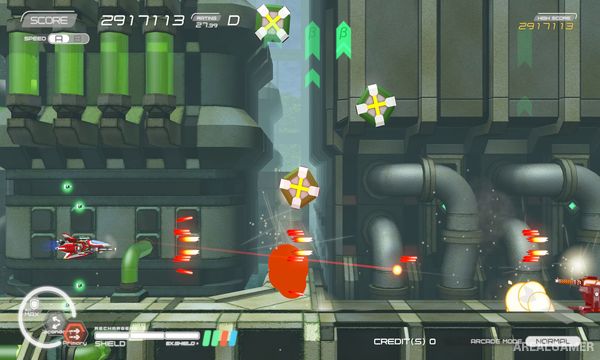
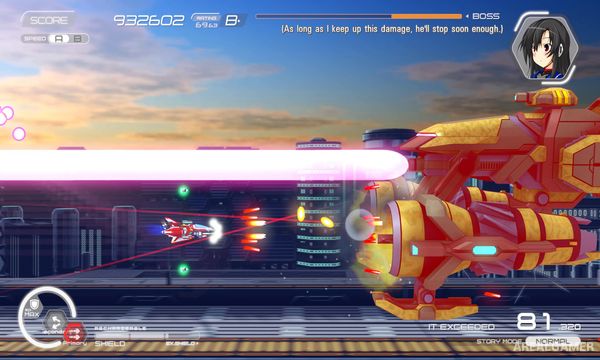
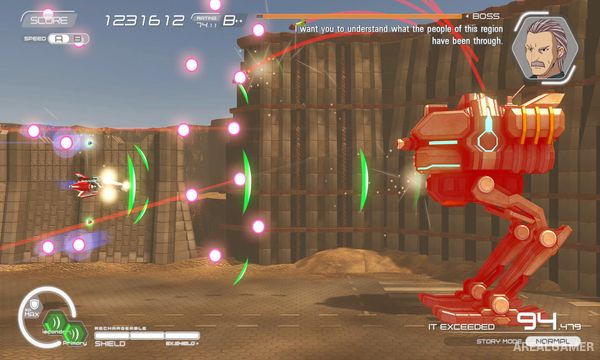
Minimum System Requirements:
OS: Windows 8/10, 64-bits
CPU: Intel 2 GHz Core 2 Duo or equivalent
RAM: 4 GB
Video Card: GeForce or RADEON, VRAM 2GB or better
Space Required: 5 GB
DirectX: 11
How to Install:
Extract the game using Winrar or 7zip.
Open “Natsuki Chronicles” folder, double click on “Setup” and proceed install.
After installation complete, open “SKIDROW” folder.
Copy all files and paste it where you “Installed the Game”.
Double click on “Game” icon to play the game. Enjoy!
Click the Below Button to Proceed to Download Page
File Password: arealgamer