
Outcast: Second Contact


Outcast: Second Contact – Free Download – PC Game
Game Info:
Size: 5.8 GB
Genre: Action, Adventure, Open World
Release Date: Nov 14, 2017
Developer: Appeal
Publisher: Nacon
About This Game:
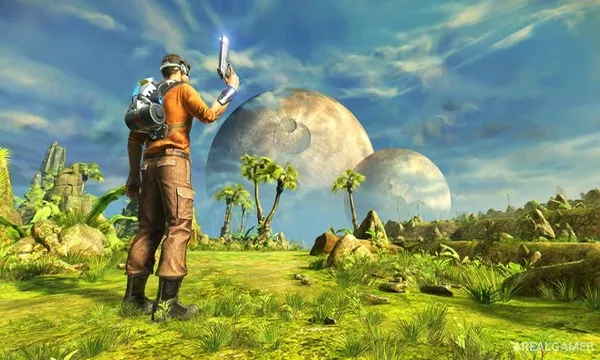
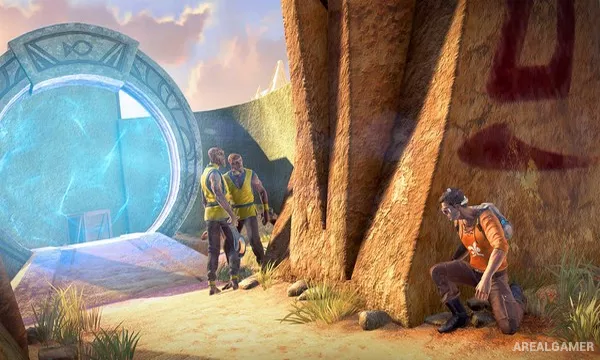
Outcast: Second Contact is a remake of the 1999 science-fiction action adventure Outcast. Former special forces operative Cutter Slade is sent through a dimensional portal to the alien world of Adelpha, where his mission becomes entangled with the struggles of its native population.
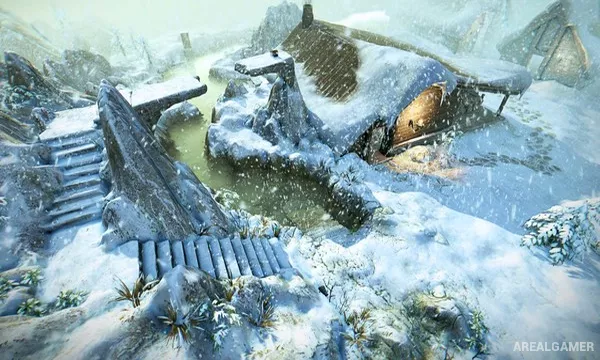
Adelpha is divided into several large regions with settlements, wilderness, enemy outposts, quests, and inhabitants who follow their own routines. The game combines exploration and shooting with conversations and tasks that can alter the balance of power in a region.
How the Gameplay Works
Players travel between open areas, talk with locals, accept missions, collect equipment, and fight hostile soldiers using a selection of upgradeable weapons. Movement and cover are important because combat frequently occurs across open terrain against multiple ranged opponents.
Many quests can weaken enemy operations indirectly by disrupting supplies or helping local communities before attacking heavily defended positions. Cutter can also use gadgets and traversal options to approach objectives in different ways.
Main Gameplay Features
Large open alien regions
Third-person shooting
Story and side quests
Upgradeable weapons
Alien settlements and characters
Multiple mission approaches
Gadgets and exploration tools
Science-fiction narrative
Remade visuals and controls
Screenshots:
Minimum System Requirements:
OS: Windows 7/8/10, 64-bits
CPU: 4th Gen Intel® Core™ i5 Processors / AMD FX® 8300
RAM: 6 GB
Video Card: GeForce GTX670 / AMD Radeon® 7950
Space Required: 15 GB
DirectX: 11
How to Install:
Extract the game using Winrar or 7zip.
Open “Outcast: Second Contact” folder, double click on “Setup” and proceed install.
After installation complete, go to the “Installed Game” location.
Double click on “Game” icon to play the game. Enjoy!
Click the Below Button to Proceed to Download Page
File Password: arealgamer
hello