
Project Hospital

Project Hospital – With All DLC’s – Free Download – PC Game
Game Info:
Size: 285 MB
Genre: Simulation, Strategy
Release Date: October 30, 2018
Developer: Oxymoron Games
Publisher: Oxymoron Games
About This Game:
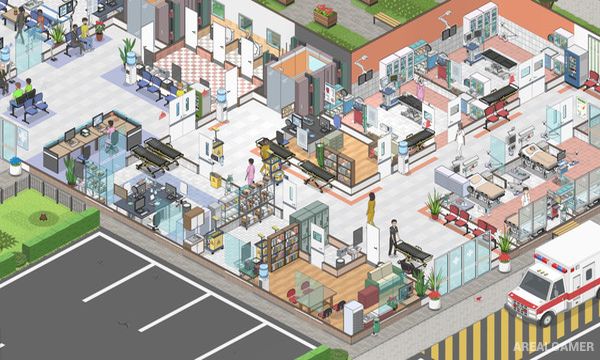
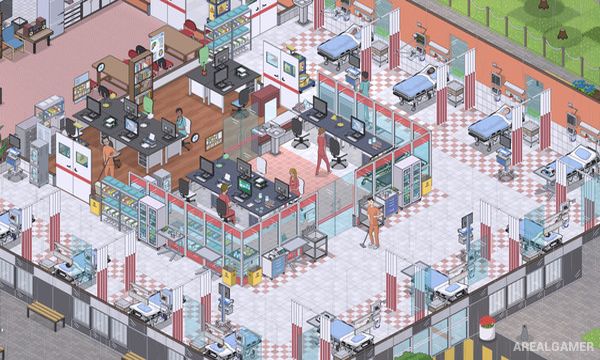
Project Hospital is a detailed medical management simulation that allows players to become hospital architect, administrator, and practicing doctor at the same time. Hospitals can be constructed from scratch or operated from existing layouts, with departments, examination rooms, laboratories, wards, and specialized facilities arranged according to the player’s plans.
The simulation includes real medical conditions and diagnostic procedures, giving individual patients symptoms that need to be investigated before suitable treatment can be selected. At the management level, doctors, nurses, technicians, janitors, and other employees must be hired and organized to keep the hospital running efficiently.
How the Gameplay Works
Players construct hospital rooms and equip them with the objects required by different departments. Patients arrive with medical problems and can undergo examinations, laboratory tests, imaging, hospitalization, surgery, and other procedures depending on their diagnosis.
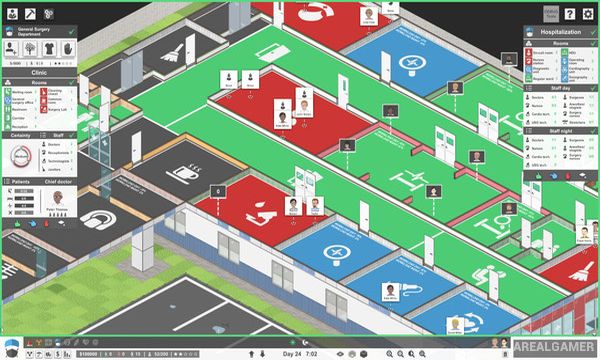
The player can remain focused on overall management or directly take control of complicated medical cases and guide doctors through diagnosis and treatment. Campaign, challenge, tutorial, and sandbox modes provide different approaches to operating hospitals of varying sizes.
Main Gameplay Features
Detailed hospital construction
Medical management simulation
Realistic diagnoses
Patient examinations
Laboratory testing
Hospitalization
Surgery and specialized treatment
Hire doctors, nurses, and other staff
Multiple hospital departments
Ambulance service
Campaign and challenge scenarios
Large sandbox mode
DLC’s Included:
Traumatology Department – Hospital Services – Department of Infectious Diseases – Doctor Mode
Screenshots:
Minimum System Requirements:
OS: Windows 7/8/10, 64-bits
CPU: Intel i3 3210, AMD Ryzen 3 1200
RAM: 4 GB
Video Card: Integrated Intel HD 4000
Space Required: 1 GB
DirectX: 10
How to Install:
Extract the game using Winrar or 7zip.
Open “Project Hospital” folder, double click on “Setup” and proceed install.
Now run “DLC Setups” to install DLC’s.
After installation complete, go to the “Installed Game” location.
Double click on “Game” icon to play the game. Enjoy!
Click the Below Button to Proceed to Download Page
File Password: arealgamer