
Pronty


Pronty – Free Download – PC Game
Game Info:
Size: 1.44 GB
Genre: Action, Adventure, Platformer
Release Date: November 19, 2021
Developer: 18Light Game Ltd., FunZone Games
Publisher: 18Light Game Ltd., CE-Asia, Joy Brick, Mayflower Entertainment
About This Game:
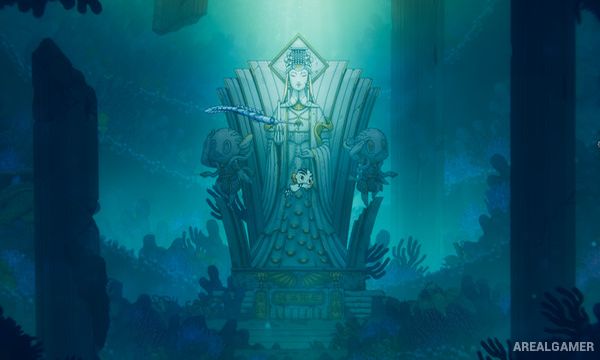
Pronty is an underwater action adventure set around the fallen marine city of Royla. Players control Pronty, a newly created aquatic protector, alongside Bront, a robotic Javelin designed to defend the city from dangerous creatures mutated by pollution.
The adventure takes place entirely underwater, allowing movement in every direction rather than relying on normal ground-based platforming. Abandoned facilities, strange ecosystems, hidden passages, and corrupted sea creatures gradually reveal what caused Royla’s collapse.
How the Gameplay Works
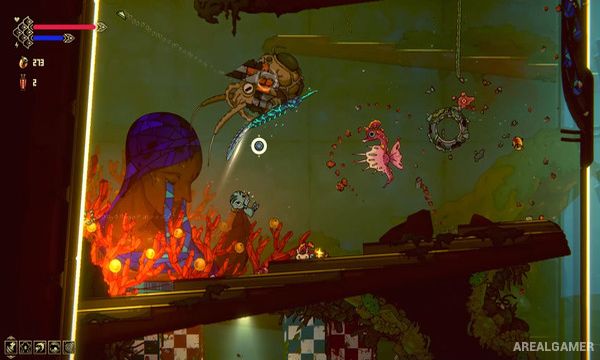
Pronty swims freely while Bront acts as the primary weapon. Players direct the Javelin toward enemies to attack, defend, and interact with parts of the environment while Pronty concentrates on movement and avoiding damage.
Exploration follows a Metroidvania structure where new abilities open previously inaccessible sections of the underwater map. Chips and upgrades allow different builds, while major mutated creatures serve as bosses guarding important areas and progression abilities.
Main Gameplay Features
Underwater Metroidvania exploration
Playable protector Pronty
Javelin companion Bront
Free movement in all directions
Javelin-based combat
Mutated sea creatures
Large underwater city
Ability-based progression
Previously inaccessible areas
Upgradeable Chips
Character build customization
Environmental puzzles
Large boss battles
Hidden secrets
Multiple endings
Screenshots:

Minimum System Requirements:
OS: Windows 7/8/10, 64-bits
CPU: Intel Core i3
RAM: 4 GB
Video Card: Nvidia GTX 920 | AMD R7 370
Space Required: 5 GB
DirectX: 11
How to Install:
Extract the game using Winrar or 7zip.
Open “Pronty” folder, double click on “Setup” and proceed install.
After installation complete, go to the “Installed Game” location.
Double click on “Game” icon to play the game. Enjoy!
Click the Below Button to Proceed to Download Page
File Password: arealgamer