
Reentry – A Space Flight Simulator

Reentry – A Space Flight Simulator – Free Download – PC Game
Game Info:
Size: 6.57 GB
Genre: Simulation
Release Date: 7 Nov, 2025
Developer: Lyra Creative
Publisher: Lyra Creative
About This Game:
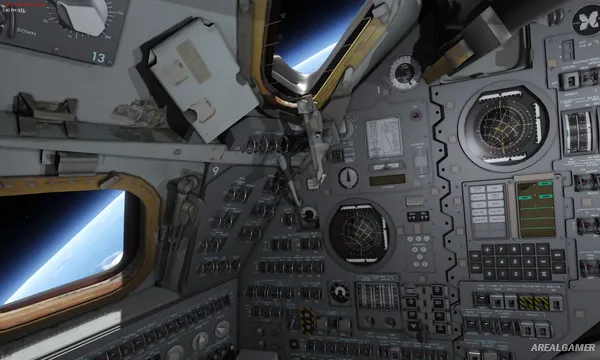
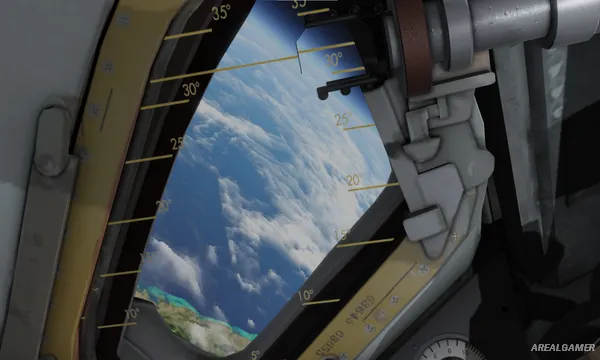
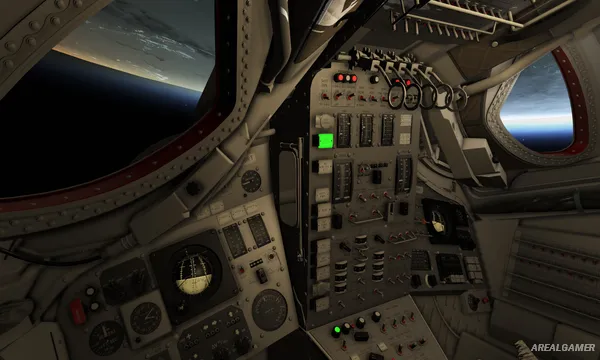
Reentry – A Space Flight Simulator is a detailed spacecraft simulation built around the pioneering Mercury, Gemini, and Apollo programs. Rather than simplifying missions into a few button presses, the game recreates many of the procedures, controls, computers, and systems astronauts had to understand during early human spaceflight.
Historical missions sit alongside additional scenarios, training material, manuals, and academy lessons designed to help players learn complicated spacecraft operations. The result is intended for players who enjoy studying procedures as much as experiencing launches and orbital flight.
How the Gameplay Works
Players interact directly with spacecraft panels to control electrical systems, navigation, guidance computers, propulsion, life support, communications, and other hardware. Checklists provide step-by-step guidance for procedures ranging from preparation and launch through orbital operations and reentry.
Accurate orbital mechanics mean players must understand how burns and navigation decisions affect the spacecraft’s trajectory. Training modules allow individual systems to be learned before attempting longer missions, while VR support provides another way to interact with the recreated cockpits.
Main Gameplay Features
Realistic spaceflight simulation
Mercury program
Gemini program
Apollo program
Historical missions
Detailed spacecraft cockpits
Guidance computers
Orbital mechanics
Navigation
Propulsion systems
Life-support management
Interactive checklists
Training academy
Extensive manuals
VR support
Screenshots:
Minimum System Requirements:
OS: Windows 10, 64-bit
CPU: Intel Core i5 6400 / AMD Athlon X4 845
RAM: 16 GB
Video Card: NVIDIA RTX 2060 w/ 6GB VRAM, NVIDIA GTX 1070 Ti w/8GB VRAM / AMD Radeon 5600XT w/ 6GB VRAM
Space Required: 20 GB
DirectX: 11
How to Install:
Extract the game using Winrar or 7zip.
Open “Reentry – A Space Flight Simulator” folder, double click on “Setup” and proceed install.
After installation complete, open “RUNE” folder.
Copy all files and paste it where you “Installed the Game”.
Double click on “Game” icon to play the game. Enjoy!
Click the Below Button to Proceed to Download Page
File Password: arealgamer