
RoboCo


RoboCo – Free Download – PC Game
Game Info:
Size: 500 MB
Genre: Simulation
Release Date: 6 Feb, 2026
Developer: Filament Games
Publisher: Filament Games
About This Game:
RoboCo is an engineering sandbox about designing robots to perform useful, strange, and occasionally ridiculous jobs for humans. Players can connect mechanical parts, motors, wheels, joints, controllers, sensors, and decorative pieces to create machines ranging from practical service robots to wildly unconventional inventions.
Instead of demanding one correct solution, its challenges are designed around experimentation. A robot only needs to accomplish the required task, so players are free to invent their own mechanical approach. Creations can also be programmed and shared with the wider community.
How the Gameplay Works
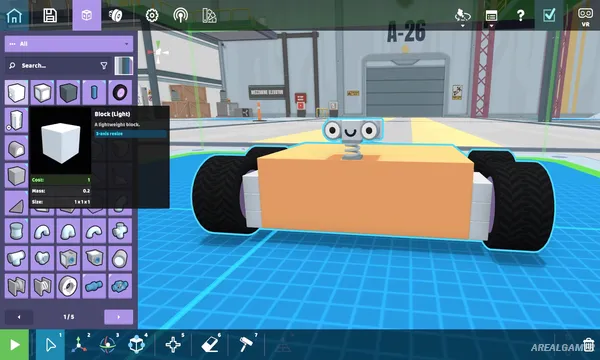
Players construct robots by snapping parts together and configuring how individual components behave. Controls can be assigned manually so motors, wheels, joints, and other mechanisms respond to player input. Completed machines can then be tested and rebuilt whenever something fails.
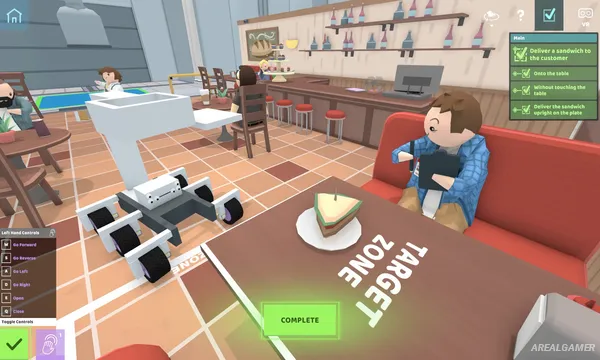
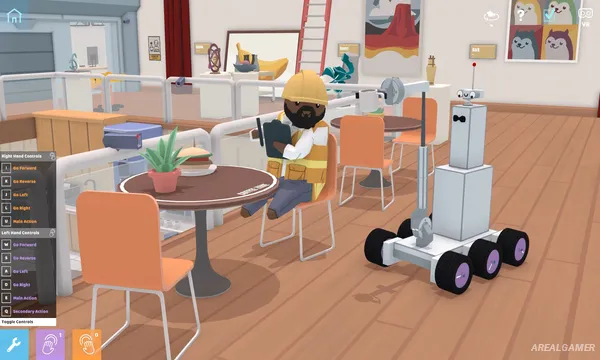
Challenges include jobs such as delivering food, preparing a romantic dinner, or performing a robot dance. Players who want additional automation can use Python to program behaviors instead of controlling everything directly. Steam Workshop integration makes it possible to upload creations or experiment with robots built by other players.
Main Gameplay Features
Open-ended robot construction
Large selection of mechanical components
Motors, joints, wheels, and controls
Physics-based engineering
Open-ended challenge solutions
Sandbox experimentation
Test and redesign creations
Optional Python programming
Automated robot behavior
Cosmetic robot customization
Steam Workshop support
Download community robots
Share your own machines
PC and VR support
Screenshots:
Minimum System Requirements:
OS: Windows 10, 64-bit
CPU: Intel Core i5-3570 or AMD equivalent
RAM: 8 GB
Video Card: NVIDIA GeForce GTX 750 or AMD equivalent
Space Required: 2 GB
DirectX: 11
How to Install:
Extract the game using Winrar or 7zip.
Open “RoboCo” >> “Game” folder.
Double click on “RoboCo” icon to play the game. Enjoy!
Click the Below Button to Proceed to Download Page
File Password: arealgamer