
Sky Haven Tycoon – Airport Simulator


Sky Haven Tycoon – Airport Simulator – Free Download – PC Game
Game Info:
Size: 619 MB
Genre: Simulation, Strategy
Release Date: 21 Nov, 2022
Developer: Real Welders
Publisher: Real Welders
About This Game:
Sky Haven Tycoon – Airport Simulator is an airport-building and management game that follows aviation development from early propeller aircraft toward more modern commercial operations. Players design airfields, terminals, service roads, and support infrastructure while adapting to changing aircraft technology.
The game focuses heavily on ground operations. Aircraft need fuel, baggage handling, passenger services, catering, maintenance, and clear routes between runways and stands.
How the Gameplay Works
Players place runways, taxiways, aircraft stands, terminals, hangars, fuel facilities, warehouses, and service buildings. Ground vehicles must reach aircraft efficiently, so poor layouts can create delays and reduce airport performance.
Research unlocks newer technologies, larger aircraft requirements, and improved services as the historical period advances. Flight contracts and schedules generate traffic, while expansion requires balancing capacity with operating costs.
Main Gameplay Features
Airport construction and management
Historical aviation progression
Runways, taxiways, stands, and terminals
Ground-service vehicle logistics
Fuel, baggage, catering, and maintenance operations
Flight scheduling and contracts
Technology research
Capacity and financial management
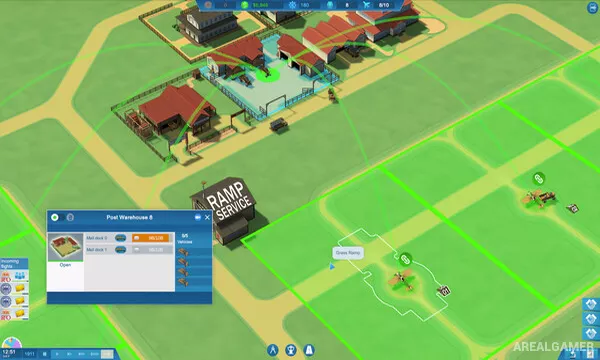
Screenshots:


Minimum System Requirements:
OS: Windows 7/8/10, 64-bit
CPU: Intel i5-2300/AMD FX-4300
RAM: 4 GB
Video Card: nVidia GTX 560 (2GB)/AMD Radeon 7850
Space Required: 2 GB
DirectX: 10
How to Install:
Extract the game using Winrar or 7zip.
Open “Sky Haven Tycoon – Airport Simulator” folder, double click on “Setup” and proceed install.
After installation complete, go to the “Installed Game” location.
Double click on “Game” icon to play the game. Enjoy!
Click the Below Button to Proceed to Download Page
File Password: arealgamer