
Slipstream


Slipstream – Free Download – PC Game
Game Info:
Size: 172 MB
Genre: Arcade, Racing
Release Date: May 21, 2018
Developer: ansdor
Publisher: ansdor
About This Game:
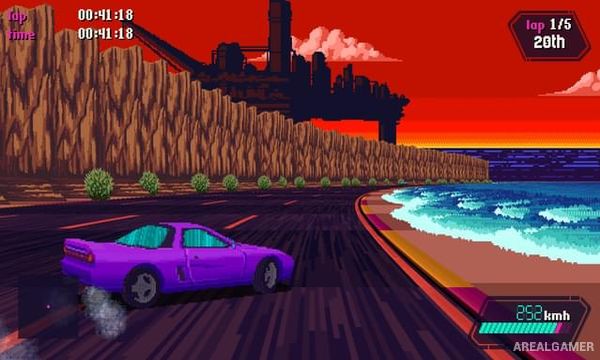
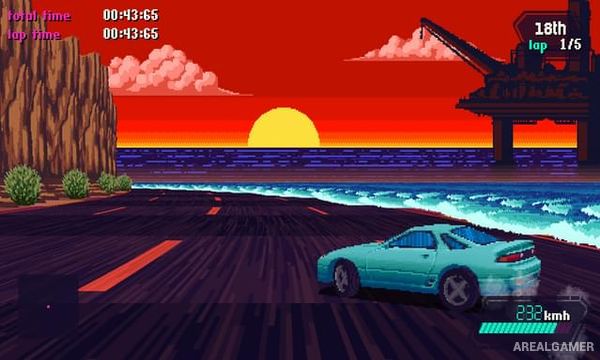
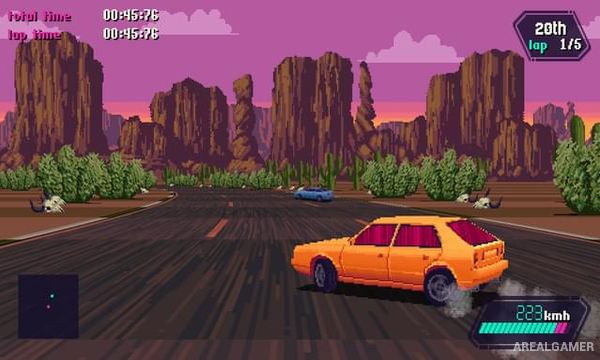
Slipstream is a retro arcade racing game inspired by the colorful road racers of the late 1980s and early 1990s. Players drive exotic-looking cars through beaches, cities, mountains, deserts, and other stylized environments while a synth soundtrack and pseudo-3D graphics recreate the appearance of classic arcade hardware.
The game combines accessible acceleration and steering with drifting, slipstreaming, branching routes, and a rewind system. Different modes emphasize racing rivals, surviving traffic, setting fast times, or completing long journeys across connected locations.
How the Gameplay Works
Driving behind another vehicle creates a slipstream that can increase speed and provide an opportunity to overtake. Sharp corners require controlled drifting, and keeping the car stable when exiting a turn is essential for maintaining momentum.
A limited rewind function allows mistakes to be corrected without immediately restarting an entire event. Different cars have their own handling characteristics, while game modes change the rules between circuit-style competition, checkpoint journeys, time trials, and battles against rival drivers.
Main Gameplay Features
Retro arcade racing
Pseudo-3D visual style
Synthwave soundtrack
Slipstream speed boosts
Drifting mechanics
Rewind system
Multiple playable cars
Different handling characteristics
Branching routes
Traffic-filled roads
Rival driver battles
Time trial events
Multiple racing modes
Local multiplayer
Colorful worldwide locations
Classic arcade inspiration
Screenshots:
Minimum System Requirements:
OS: Windows 7/8/10, 64-bits
CPU: Dual Core
RAM: 2 GB
Video Card: Intel HD Graphics 5000
Space Required: 500 MB
DirectX: 11
How to Install:
Extract the game using Winrar or 7zip.
Open “Slipstream” folder, double click on “Setup” and proceed install.
After installation complete, go to the “Installed Game” location.
Double click on “Game” icon to play the game. Enjoy!
Click the Below Button to Proceed to Download Page
File Password: arealgamer