
SteamWorld Quest: Hand of Gilgamech


SteamWorld Quest: Hand of Gilgamech – Free Download – PC Game
Game Info:
Size: 2.3 GB
Genre: RPG
Release Date: 31 May, 2019
Developer: Image & Form Games
Publisher: Thunderful Publishing
About This Game:
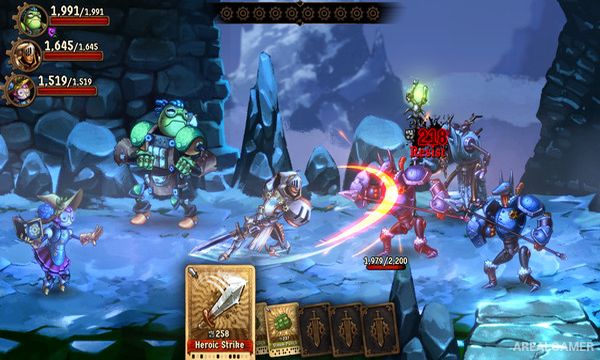
SteamWorld Quest: Hand of Gilgamech is a turn-based RPG where combat abilities are represented by cards. Set in a humorous fantasy version of the SteamWorld universe, it follows a group of unlikely heroes who leave their quiet lives behind and become involved in a much larger adventure.
Traditional RPG ideas such as party roles, equipment, elemental weaknesses, and character abilities are combined with deck building to determine what each hero can do in battle.
How the Gameplay Works
Players choose a small party and build individual decks from cards earned throughout the adventure. During each turn, several cards are selected to perform attacks, defensive actions, healing abilities, buffs, and other skills.
Certain cards work particularly well when combined with abilities from other party members, rewarding careful deck construction. Exploring levels also reveals treasure, new equipment, additional cards, and encounters with increasingly difficult enemies.
Main Gameplay Features
Turn-based card combat
Deck building for individual heroes
Multiple party members
Character-specific cards
Card combinations and synergies
Weapons and equipment
Elemental strengths and weaknesses
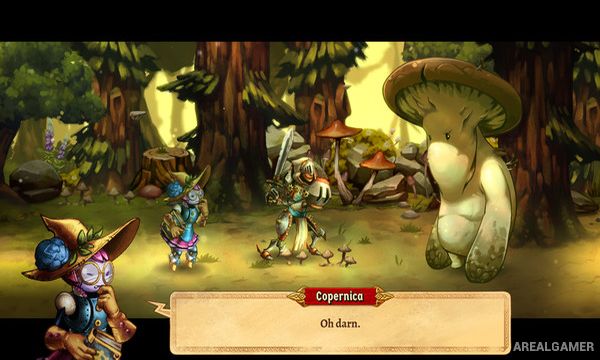
Explorable story areas
Treasure and hidden rewards
Boss battles
Screenshots:

Minimum System Requirements:
OS: Windows 7/8/10
CPU: 2 GHz, SSE2 support
RAM: 1 GB
Video Card: OpenGL 2.1-compatible, 512 MB video memory, framebuffer object support. E.g. Intel HD 4600 or better
Space Required: 1 GB
DirectX: 10
How to Install:
Extract the game using Winrar or 7zip.
Open “SteamWorld Quest: Hand of Gilgamech” folder, double click on “Setup” and proceed install.
After installation complete, go to the “Installed Game” location.
Double click on “Game” icon to play the game. Enjoy!
Click the Below Button to Proceed to Download Page
File Password: arealgamer