
The Plane Effect


The Plane Effect – Free Download – PC Game
Game Info:
Size: 3.40 GB
Genre: Adventure, Puzzle
Release Date: September 23, 2021
Developer: Innovina/StudioKiku
Publisher: PQube
About This Game:
The Plane Effect is a surreal puzzle adventure about an office worker named Solo trying to return home after finishing his final day at work. What should be an ordinary journey quickly becomes an impossible trip through distorted streets, strange machinery, alternate spaces, and environments that no longer follow familiar rules.
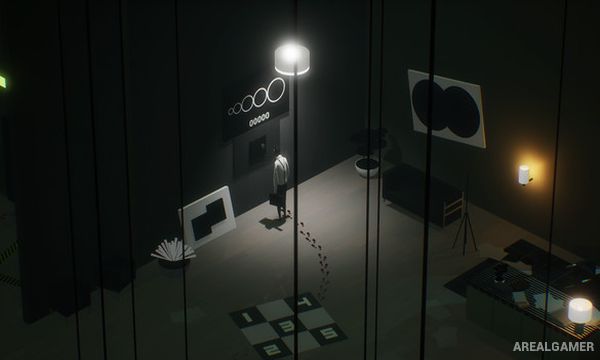
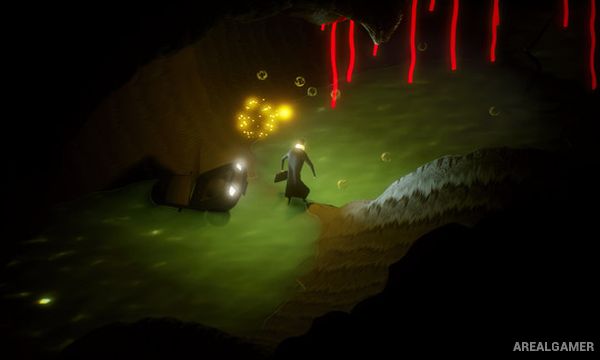
The game uses an isometric perspective and a minimalist visual style to create a world where scale, distance, and reality can shift unexpectedly. Solo’s simple goal of reaching his family remains at the center of the journey even as the surroundings become increasingly bizarre.
How the Gameplay Works
Players guide Solo through isometric environments while walking, running, jumping, examining objects, and solving puzzles. Progress often requires understanding the correct sequence for interacting with machinery or environmental objects.
Some areas introduce platforming, timed movement, and escape sequences in addition to slower observation-based puzzles. The journey remains linear overall, but unusual environments frequently change how players must think about reaching the next destination.
Main Gameplay Features
Surreal isometric adventure
Story about trying to reach home
Environmental puzzle solving
Walking and exploration
Platforming sections
Run and escape sequences
Strange mechanical environments
Alternate reality imagery
Minimalist presentation
Atmospheric soundtrack
Story-focused progression
Single-player experience
Screenshots:

Minimum System Requirements:
OS: Windows 7/8/10, 64-bits
CPU: Intel Core i5-2500K 3.3GHz / AMD FX-8150 3.6GHz or equivalent
RAM: 4 GB
Video Card: GeForce GTX 550 Ti / Radeon HD 6790 2GB VRAM
Space Required: 4 GB
DirectX: 11
How to Install:
Extract the game using Winrar or 7zip.
Open “The Plane Effect” folder, double click on “Setup” and proceed install.
After installation complete, go to the “Installed Game” location.
Double click on “Game” icon to play the game. Enjoy!
Click the Below Button to Proceed to Download Page
File Password: arealgamer