
Twinsen’s Little Big Adventure Classic


Twinsen’s Little Big Adventure Classic – Free Download – PC Game
Game Info:
Size: 255.1 MB
Genre: Action, Adventure, Puzzle
Release Date: October 10, 1994
Developer: 2.21
Publisher: 2.21
About This Game:
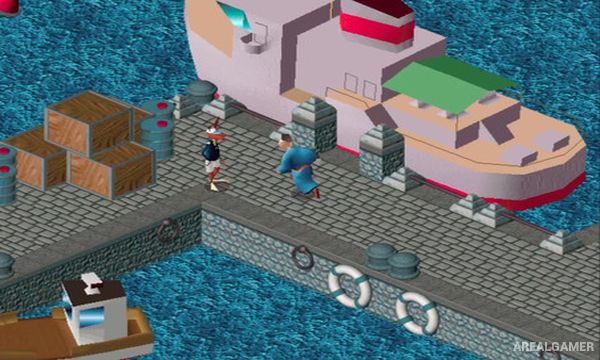
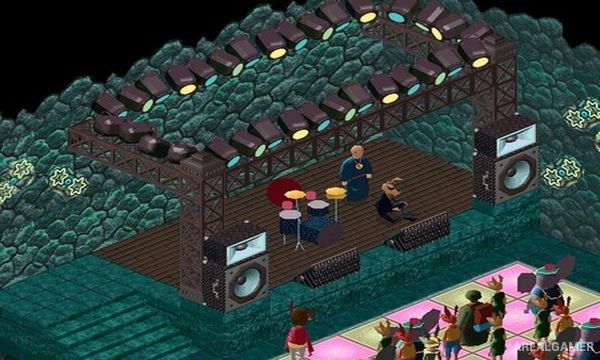
Twinsen’s Little Big Adventure Classic is an isometric action adventure set on the unusual planet Twinsun. Players control Twinsen, a young inhabitant imprisoned by the dictator Dr. FunFrock after repeatedly dreaming about the planet’s ancient goddess and a coming disaster.
Escaping confinement begins a much larger journey across islands, towns, deserts, temples, mountains, and hidden locations. The world combines science fiction and fantasy with strange animal-like inhabitants, unusual technology, magical powers, and a story about resistance against FunFrock’s regime.
How the Gameplay Works
Twinsen can switch between different behavior modes that influence movement and interactions. Normal Mode supports everyday actions, Athletic Mode improves running and jumping, Aggressive Mode enables fighting, and Discreet Mode helps with sneaking.
A magical ball serves as Twinsen’s signature weapon and becomes stronger as the adventure progresses. Players explore freely, talk to characters, collect objects, solve puzzles, avoid guards, fight enemies, and use vehicles to travel between different parts of Twinsun.
Main Gameplay Features
Classic isometric adventure
Playable hero Twinsen
Planet Twinsun setting
Four behavior modes
Running and jumping
Stealth interactions
Melee combat
Magic Ball weapon
Character conversations
Inventory puzzles
Large explorable areas
Vehicles and transportation
Fantasy and science-fiction story
Dr. FunFrock as main antagonist
Single-player campaign
Screenshots:

Minimum System Requirements:
OS: Windows 7/8/10
CPU: Pentium 4 2.4Ghz
RAM: 1 GB
Video Card: Intel HD Graphics
Space Required: 3 GB
DirectX: 9.0c
How to Install:
Extract the game using Winrar or 7zip.
Open “Twinsen’s Little Big Adventure Classic” folder, double click on “Setup” and proceed install.
After installation complete, go to the “Installed Game” location.
Double click on “Game” icon to play the game. Enjoy!
Click the Below Button to Proceed to Download Page
File Password: arealgamer