
Biped 2

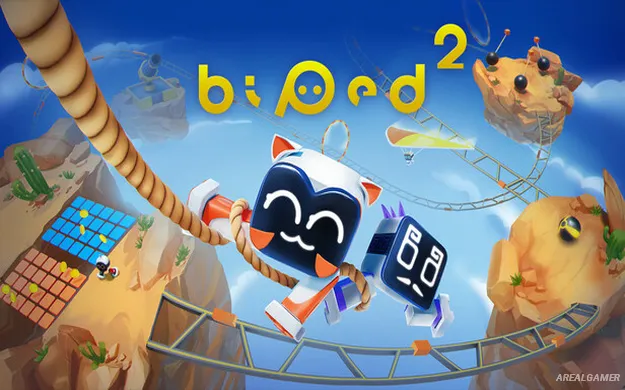
Biped 2 – Free Download – PC Game
Game Info:
Size: 7.16 GB
Genre: Adventure
Release Date: 5 Nov, 2025
Developer: META Publishing, NEXT Studios, PlayJoy Studios
Publisher: META Publishing
About This Game:
Biped 2 continues the cooperative adventures of Aku and Sila after the pair receives a distress signal from a distant alien planet. The two little robots head into another colorful world filled with machinery, puzzles, unusual landscapes, and platforming challenges designed around coordinated movement.
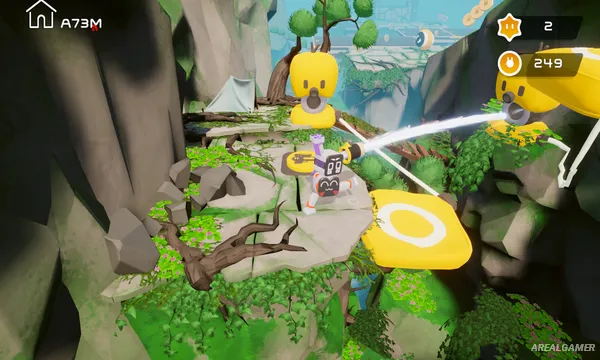
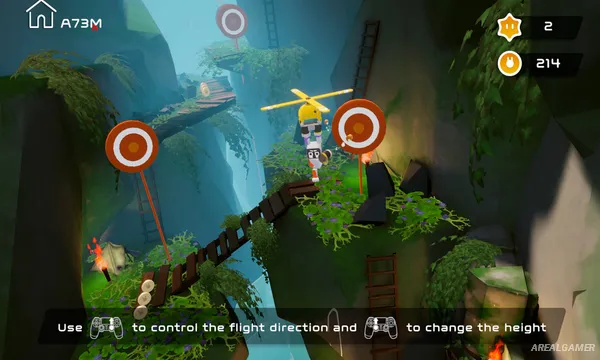
The sequel expands the movement options of the original with tools such as a grappling hook and hang glider while introducing situations where robots must physically combine their abilities. Cooperative play remains central, although the adventure can also be completed alone.
How the Gameplay Works
Movement revolves around controlling the robots’ legs and carefully navigating obstacles. Players walk, slide, swing, glide, and use environmental mechanisms while solving puzzles that frequently require accurate timing and cooperation.
Some challenges require two robots to function as different parts of a larger movement system, creating new coordination puzzles. The game supports solo play as well as two-player and four-player cooperative modes, while user-created levels provide additional challenges beyond the main adventure.
Main Gameplay Features
Cooperative puzzle platforming
Return of Aku and Sila
Robot movement mechanics
Grappling hook
Hang gliding
Sliding
Physics-based obstacles
Team coordination puzzles
Combined robot abilities
Single-player mode
Two-player cooperative play
Four-player cooperative play
Collectible treasures
Unlockable hats
Steam Workshop level support
Screenshots:

Minimum System Requirements:
OS: Windows 10/11
CPU: i3 Sandy Bridge Dual Core or Equivalent
RAM: 8 GB
Video Card: NVIDIA GeForce GTX 960
Space Required: 6 GB
DirectX: 11
How to Install:
Extract the game using Winrar or 7zip.
Open “Biped 2” folder, double click on “Setup” and proceed install.
After installation complete, open “RUNE” folder.
Copy all files and paste it where you “Installed the Game”.
Double click on “Game” icon to play the game. Enjoy!
Click the Below Button to Proceed to Download Page
File Password: arealgamer