
Cuphead


Cuphead – With The Delicious Last Course – Free Download – PC Game
Game Info:
Size: 4.88 GB
Genre: Action, Adventure, Platformer
Release Date: September 29, 2017
Developer: StudioMDHR Entertainment Inc.
Publisher: StudioMDHR Entertainment Inc.
About This Game:
Cuphead is a challenging run-and-gun action game inspired by hand-drawn cartoons of the 1930s. Cuphead and Mugman lose a dangerous bet with the Devil and must travel across the Inkwell Isles collecting the contracts of other debtors if they hope to save themselves.
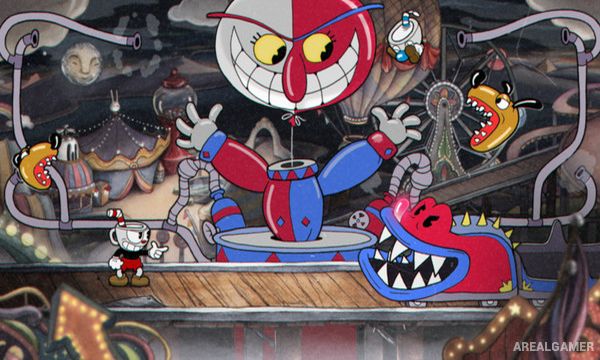
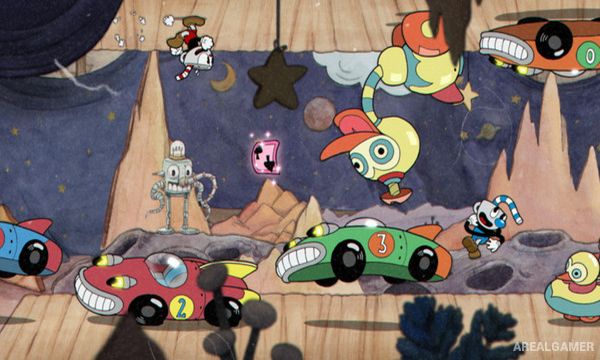
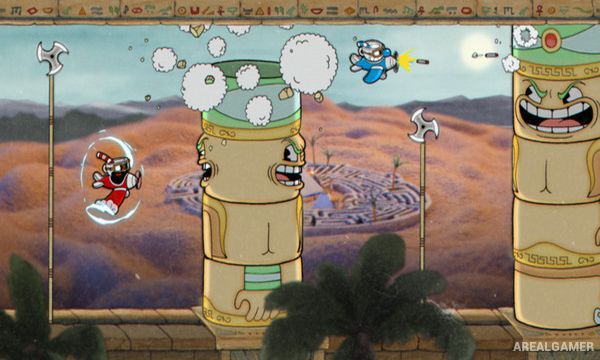
The game is especially known for its hand-animated visual style, watercolor backgrounds, and jazz-inspired soundtrack. Much of the adventure revolves around elaborate boss battles where enemies transform through several phases and attack with increasingly complicated patterns.
How the Gameplay Works
Players run, jump, shoot, dash, and parry pink objects while fighting enemies in side-scrolling stages or dedicated boss arenas. Different weapons provide changes in range, damage, and firing behavior, allowing players to choose equipment suited to a particular encounter.
Successful parries build the super meter, which can be spent on stronger attacks. Bosses often change form multiple times during a fight, requiring players to learn attack patterns and improve timing through repeated attempts.
Main Gameplay Features
Challenging run-and-gun action
1930s cartoon-inspired animation
Playable Cuphead and Mugman
Large boss battles
Multiple boss phases
Different weapon types
Dash movement
Parry mechanic
Super attacks
Side-scrolling platforming stages
Jazz-inspired soundtrack
Two-player local cooperative play
Screenshots:
Minimum System Requirements:
OS: Windows 7/8/10
CPU: Intel Core2 Duo E8400 3.0GHz or AMD Athlon 64 X2 6000+ 3.0GHz or higher
RAM: 3 GB
Video Card: Geforce 9600 GT or AMD HD 3870 512MB or higher
Space Required: 4 GB
DirectX: 11
How to Install:
Extract the game using Winrar or 7zip.
Open “Cuphead” folder, double click on “Setup” and proceed install.
After installation complete, go to the “Installed Game” location.
Double click on “Game” icon to play the game. Enjoy!
Click the Below Button to Proceed to Download Page
File Password: arealgamer