
Descent

Descent – Free Download – PC Game
Game Info:
Size: 24 MB
Genre: Shooter, Simulation
Release Date: March 13, 1996
Developer: Parallax Software
Publisher: Interplay
About This Game:
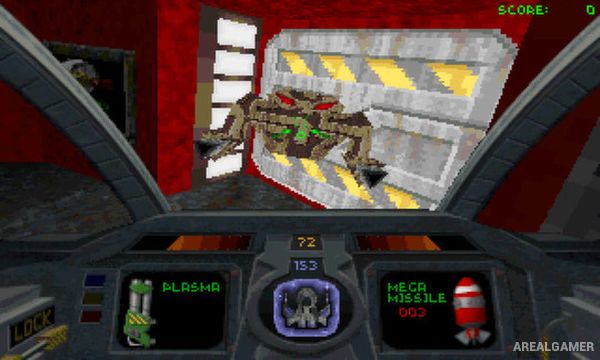
Descent is a science-fiction first-person shooter that places players inside the heavily armed Pyro-GX spacecraft and sends them into mines across the Solar System. Mining robots have become hostile after being infected by an alien computer virus, leaving the Material Defender responsible for entering each facility and destroying its central reactor.
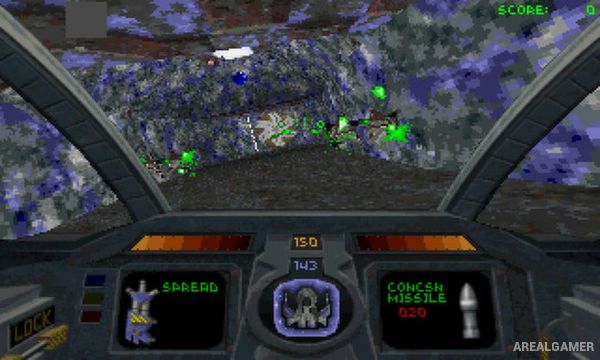
Unlike conventional shooters built around floors and ceilings, Descent allows movement and rotation in every direction. Its mines twist vertically and horizontally through three-dimensional space, making navigation almost as important as surviving the hostile robots waiting inside.
How the Gameplay Works
The Pyro-GX has six degrees of freedom, allowing players to move forward, backward, sideways, vertically, and rotate freely. Levels contain locked doors, colored access keys, hostages, weapons, energy pickups, shields, and branching routes that must be explored before the reactor can be destroyed.
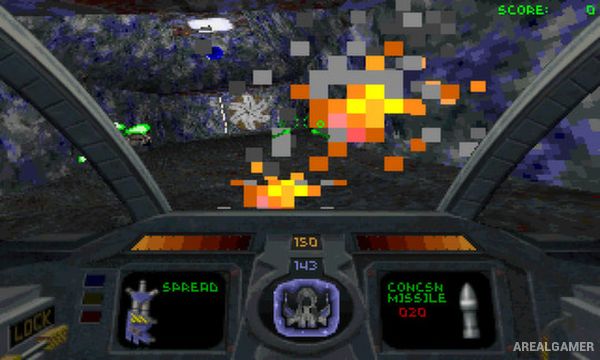
Once a reactor is destroyed, a countdown begins and the player must find the exit before the mine explodes. Combat uses lasers, missiles, and other futuristic weapons while robots can attack from almost any direction, including above and below the player’s current orientation.
Main Gameplay Features
Six-degrees-of-freedom shooting
Fully 3D mine environments
27 campaign levels
Pilot the Pyro-GX spacecraft
Hostile mining robots
Lasers and missile weapons
Colored key progression
Rescue hostages
Destroy mine reactors
Timed escapes after reactor destruction
Movement in every direction
Competitive multiplayer
Screenshots:
Minimum System Requirements:
OS: Windows 7/8/10, 64-bits
CPU: 1.8 GHz
RAM: 512 MB
Video Card: 3D graphics card compatible with DirectX 9
Space Required: 100 MB
DirectX: 9.0c
How to Install:
Extract the game using Winrar or 7zip.
Open “Descent” folder, double click on “Setup” and proceed install.
After installation complete, go to the “Installed Game” location.
Double click on “Game” icon to play the game. Enjoy!
Click the Below Button to Proceed to Download Page
File Password: arealgamer