
Divinity Original Sin


Divinity Original Sin – Free Download – PC Game
Game Info:
Size: 5.4 GB
Genre: RPG
Release Date: 30 Jun, 2014
Developer: Larian Studios
Publisher: Larian Studios
About This Game:
Divinity: Original Sin is a party-based fantasy RPG centered on two Source Hunters investigating a murder in the town of Cyseal. What begins as a local case quickly grows into a larger conflict involving forbidden Source magic, ancient forces, and threats extending far beyond the original investigation.
The game gives players extensive freedom in exploration and combat. Objects can be moved, stolen, combined, destroyed, or used to manipulate the environment, while elemental surfaces allow fire, water, poison, electricity, smoke, and other effects to interact during battle.
How the Gameplay Works
Exploration takes place freely from an isometric perspective, with conversations, quests, secrets, and puzzles spread across large areas. When combat begins, the game switches to a turn-based system governed by action points.
Characters spend action points to move, attack, cast spells, or use items. Elemental interactions are central: rain can create water that conducts electricity, poison can be ignited, and fire can be extinguished or turned into steam. Two-player cooperative play allows each player to control one of the main Source Hunters.
Main Gameplay Features
Isometric fantasy RPG
Turn-based tactical combat
Elemental surface interactions
Two customizable protagonists
Party recruitment
Large explorable areas
Dialogue and quest choices
Object manipulation
Crafting
Two-player cooperative campaign
Screenshots:
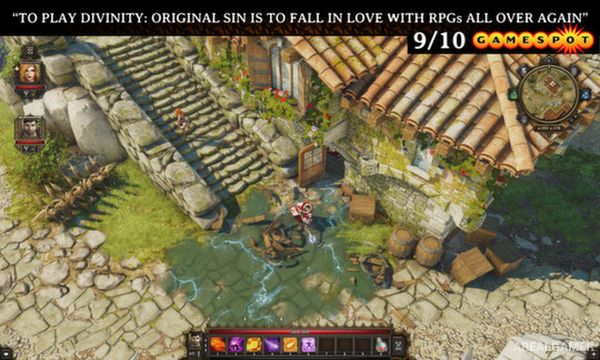
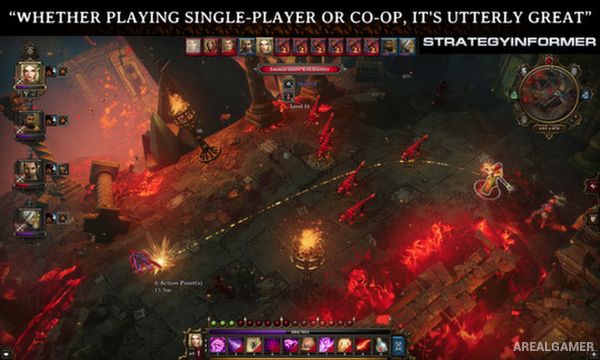
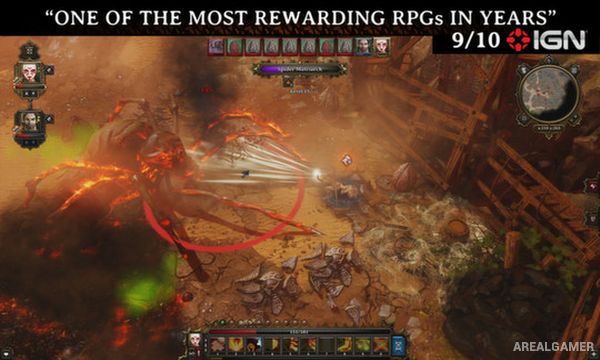
Minimum System Requirements:
OS: Windows 7/8/10, 64-bits
CPU: Intel Core2 Duo E6600 or equivalent
RAM: 2 GB
Video Card: DirectX 11 Compatible GPU
Space Required: 10 GB
DirectX: 11
How to Install:
Extract the game using Winrar or 7zip.
Open “Divinity Original Sin” folder, double click on “Setup” and proceed install.
After installation complete, go to the “Installed Game” location.
Double click on “EoCApp” icon to play the game. Enjoy!
Click the Below Button to Proceed to Download Page
File Password: arealgamer