
Dragon Ball Z V.R.V.S


Dragon Ball Z V.R.V.S – Free Download – PC Game
Game Info:
Size: 121 MB
Genre: Fighting
Release Date: August 1993
Developer: Banpresto
Publisher: Sega
About This Game:
Dragon Ball Z: V.R.V.S. is an arcade fighting game that presents Dragon Ball Z battles from an unusual behind-the-character viewpoint. Released during the arcade era of the series, it allows players to control familiar Dragon Ball fighters while facing opponents in one-on-one battles built around punches, kicks, movement, and energy attacks.
The perspective gives the fights a different feeling from traditional side-view Dragon Ball fighting games. Characters appear farther into the arena, creating the impression of battling across a larger three-dimensional space even though the technology and gameplay remain much simpler than later 3D Dragon Ball titles.
How the Gameplay Works
Players move their fighter around the combat area while using physical attacks and energy-based techniques against an opponent. The camera remains positioned behind the controlled character, so judging distance and lining up attacks becomes an important part of each fight.
The objective is to defeat a sequence of opponents while preserving enough health to continue. Different fighters provide recognizable attacks from Dragon Ball Z, while the arcade structure keeps battles short and focused. A special deluxe arcade cabinet version also experimented with physical motion-based controls.
Main Gameplay Features
Dragon Ball Z arcade fighting
Behind-the-character battle perspective
One-on-one combat
Playable Dragon Ball characters
Punches and kicks
Energy-based attacks
Short arcade battles
Sequential opponent progression
Distinct character techniques
3D-style presentation
Arcade-focused controls
Special motion-control cabinet version
Screenshots:
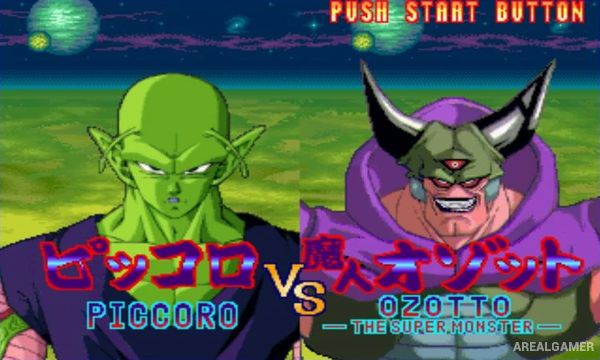
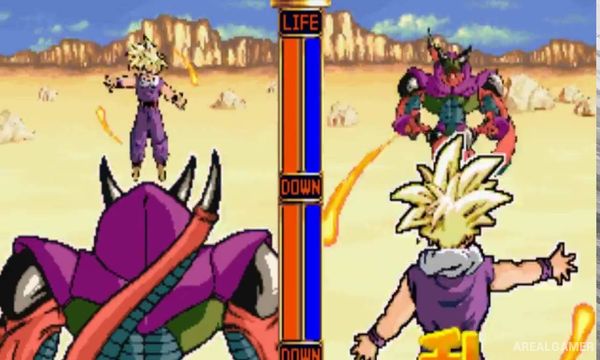
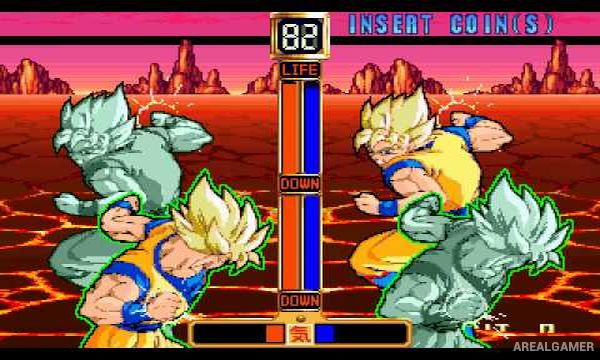
Minimum System Requirements:
OS: Windows XP, 98, ME, 2000
CPU: Pentium 2,3 450 MHz
RAM: 64 MB
Video Card: 8 MB
Space Required: 130 MB
DirectX: Any
How to Install:
Extract the game using Winrar or 7zip.
Open “Dragon Ball Z V.R.V.S” folder, double click on “Setup” and proceed install.
After installation complete, go to the “Installed Game” location.
Now double click on “mamepXT_gcc” icon to play the game. Enjoy!
Click the Below Button to Proceed to Download Page
File Password: arealgamer