
Fear The Timeloop


Fear The Timeloop – Free Download – PC Game
Game Info:
Size: 19.1 GB
Genre: Action, Adventure, Horror, Survival
Release Date: 30 Jan, 2026
Developer: TacoEaters
Publisher: PlayWay S.A., TacoEaters
About This Game:
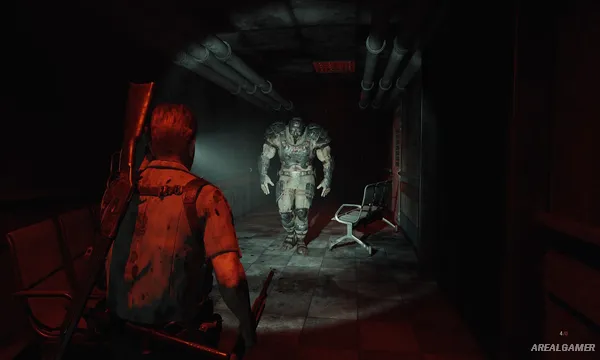
Fear The Timeloop is a survival horror game in which Sheriff James Cooper wakes inside an unfamiliar hospital while slowly bleeding to death. He has only fifteen minutes before his injuries kill him, but death does not end the nightmare. Instead, Cooper awakens again at the beginning of the same deadly cycle.
Every repeated loop offers another chance to understand the hospital, uncover new information, and work out what is causing the nightmare. Horror, combat, exploration, and puzzle solving are tied directly to the pressure of a countdown that is always moving toward another reset.
How the Gameplay Works:
You explore the hospital in third person while searching rooms, fighting hostile creatures, solving environmental problems, and learning routes that can save valuable time during later attempts. Knowledge gained from previous loops remains useful even when the physical situation resets.
Because only a limited amount can be accomplished within fifteen minutes, choosing where to go and what mystery to investigate becomes part of the challenge. Repeated attempts gradually reveal how different events connect and what must be done to finally escape the cycle.
Main Gameplay Features:
- Fifteen-minute repeating time-loop structure
- Third-person survival horror gameplay
- Hospital exploration and environmental puzzles
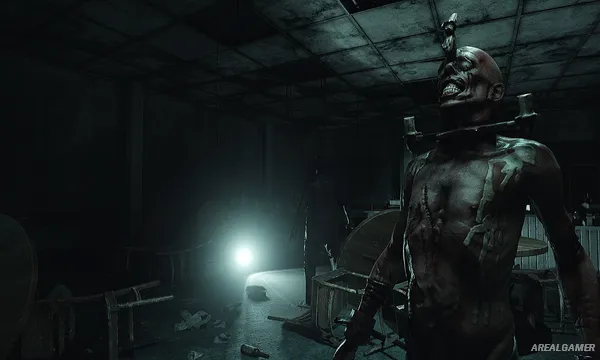
- Combat against disturbing enemies
- Knowledge-based progression between loops
- Mystery-driven story with multiple discoveries
Screenshots:
Minimum System Requirements:
OS: Windows 10, 64-bit
CPU: AMD Ryzen 3 1200 / Intel Core i5-7500
RAM: 8 GB
Video Card: AMD Radeon RX 570 with 4GB VRAM / NVIDIA GeForce GTX 1050 Ti with 4GB VRAM
Space Required: 20 GB
DirectX: 12
How to Install:
Extract the game using Winrar or 7zip.
Open “Fear The Timeloop” folder, double click on “Setup” and proceed install.
After installation complete, open “RUNE” folder.
Copy all files and paste it where you “Installed the Game”.
Double click on “Game” icon to play the game. Enjoy!
Click the Below Button to Proceed to Download Page
File Password: arealgamer