
Firewatch


Firewatch – Free Download – PC Game
Game Info:
Size: 2.07 GB
Genre: Adventure
Release Date: 9 Feb, 2016
Developer: Campo Santo
Publisher: Panic, Campo Santo
About This Game:
Firewatch is a first-person narrative adventure set in the Wyoming wilderness during the summer of 1989. Players control Henry, a man who takes a temporary job as a fire lookout and begins communicating with his supervisor Delilah through a handheld radio while living alone in a remote watchtower.
What begins as a quiet summer of monitoring the forest gradually develops into a mystery involving strange events and unanswered questions. The game places greater emphasis on dialogue, atmosphere, exploration, and the relationship between Henry and Delilah than on traditional combat or complex puzzles.
How the Gameplay Works
Players walk through forests, valleys, lakes, and rocky areas while navigating with a map and compass. Objectives are communicated over the radio, and Henry regularly speaks with Delilah as new situations appear throughout the wilderness.
Conversation responses can be selected during many radio exchanges, allowing players to shape the tone of Henry’s relationship with Delilah. New tools and information gradually open previously inaccessible routes, while environmental clues help uncover more about the mystery surrounding the lookout area.
Main Gameplay Features
First-person narrative exploration
1989 Wyoming wilderness setting
Radio conversations
Dialogue choices
Map and compass navigation
Large outdoor environments
Environmental storytelling
Mystery-focused storyline
Character-driven narrative
No traditional combat focus
Atmospheric soundtrack
Exploration-based progression
Screenshots:
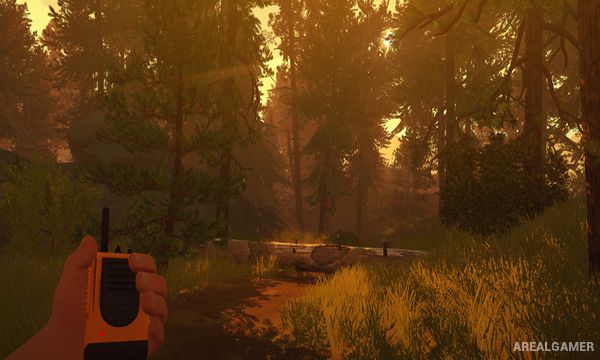
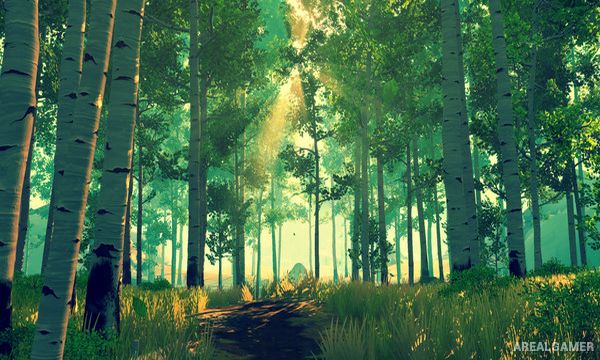
Minimum System Requirements:
OS: Windows 7/8/10, 64-bits
CPU: Intel Core i3 2.00 GHz or AMD equivalent
RAM: 6 GB
Video Card: NVIDIA GeForce 450 or higher with 1 GB Memory
Space Required: 4 GB
DirectX: 11
How to Install:
Extract the game using Winrar or 7zip.
Open “Firewatch” folder, double click on “Setup” and proceed install.
After installation complete, go to the “Installed Game” location.
Now double click on “Game” icon to play the game. Enjoy!
Click the Below Button to Proceed to Download Page
File Password: arealgamer