
Frontlines: Fuel of War


Frontlines: Fuel of War – Free Download – PC Game
Game Info:
Size: 5.1 GB
Genre: Action, Shooter
Release Date: 27 Feb, 2008
Developer: Kaos Studios
Publisher: THQ Nordic
About This Game:
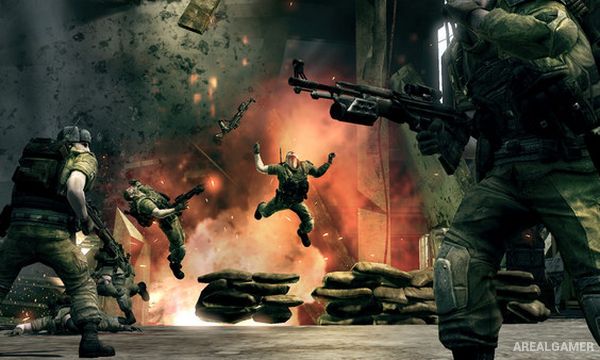
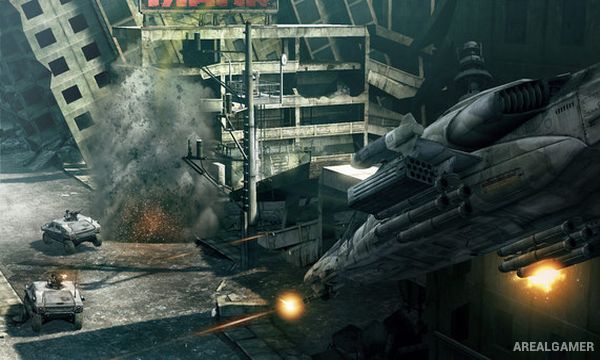
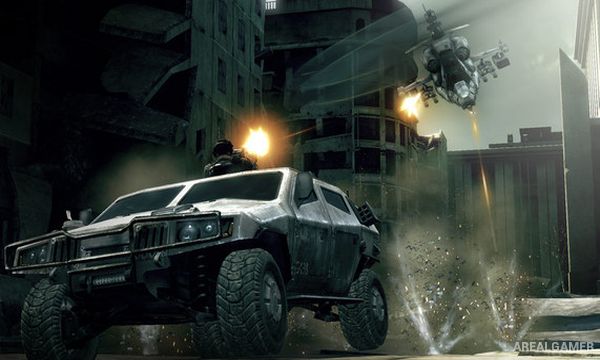
Frontlines: Fuel of War is a military first-person shooter set during a fictional global conflict caused by an escalating energy crisis. Players fight as part of the Western Coalition across large battlefields featuring infantry, armored vehicles, aircraft, drones, and heavily defended objectives.
Its Frontline system makes territory control central to both the campaign and multiplayer. Capturing active objectives pushes the battle line farther into enemy territory and opens the next set of strategic targets.
How the Gameplay Works
Players fight on foot with modern weapons or take control of vehicles to move rapidly between objectives. Remote-controlled drones provide additional ways to scout positions, attack infantry, destroy armor, or reach dangerous locations without exposing the soldier directly.
Objectives along the current frontline can often be tackled in different orders. Once enough positions are captured, the front advances and new areas of the battlefield become active, producing a stronger sense of an ongoing large-scale conflict.
Main Gameplay Features
Large-scale first-person warfare
Frontline-based objective system
Infantry weapon combat
Tanks and other military vehicles
Remote-controlled combat drones
Single-player campaign
Large multiplayer battles
Screenshots:
Minimum System Requirements:
OS: Windows XP/Vista/7/8/10
CPU: Intel Pentium 2.8HT or AMD Athlon 2800+
RAM: 1 GB
Video Card: nVidia 6800GT (SM3) or ATI X800XT (SM2) w/ Latest applicable video drivers
Space Required: 12 GB
DirectX: 9.0c
How to Install:
Extract the game using Winrar or 7zip.
Open “Frontlines: Fuel of War” folder, double click on “Setup” and proceed install.
After installation complete, go to the “Installed Game” location.
Double click on “FFOW” icon to play the game. Enjoy!
Click the Below Button to Proceed to Download Page
File Password: arealgamer
[email protected]