
Halo Infinite (2021)


Halo Infinite – With All Campaign DLC’s Included – Free Download – PC Game
Game Info:
Size: 42.1 GB
Genre: Action, FPS
Release Date: 15 Nov, 2021
Developer: 343 Industries
Publisher: Xbox Game Studios
About This Game:
Halo Infinite continues Master Chief’s story after humanity suffers a devastating confrontation with the Banished. Stranded around the damaged Halo installation known as Zeta Halo, Chief begins rebuilding resistance against enemy forces while investigating what happened to the UNSC and uncovering new mysteries surrounding the ring.
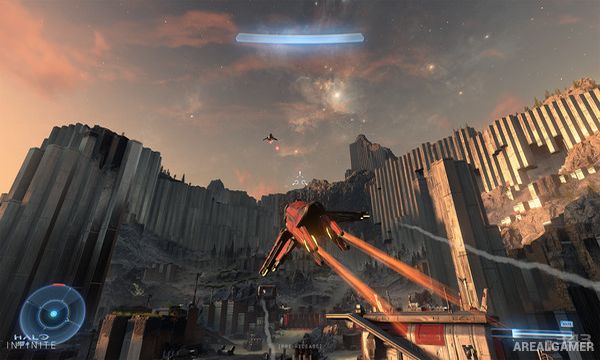
The campaign combines traditional Halo missions with much larger outdoor regions that can be explored more freely. Enemy bases, rescue activities, collectibles, equipment upgrades, and optional targets are spread across the ring alongside the main story objectives.
How the Gameplay Works
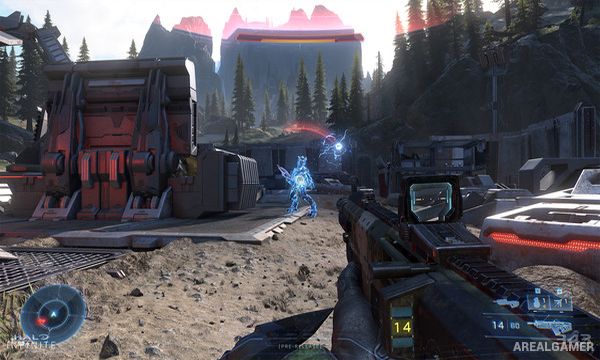
Players fight from a first-person perspective using human, Banished, and Forerunner weapons while switching equipment according to enemy type and combat distance. The Grappleshot lets Chief pull himself toward terrain, grab certain objects, reach elevated positions, or rapidly close the distance to enemies.
Vehicles can be driven throughout open areas, while captured Forward Operating Bases provide convenient locations for obtaining weapons and vehicles. Spartan Cores improve equipment abilities over time. Separate multiplayer modes offer traditional Arena combat alongside larger Big Team Battle matches.
Main Gameplay Features
First-person Halo combat
Master Chief campaign
Large Zeta Halo environments
Grappleshot traversal
Human and alien weapons
Driveable Halo vehicles
Banished enemy forces
Forward Operating Bases
Optional enemy strongholds
Equipment upgrades
Arena multiplayer
Big Team Battle
Screenshots:

Minimum System Requirements:
OS: Windows 10 RS5 x64
CPU: AMD Ryzen 5 1600 or Intel i5-4440
RAM: 8 GB
Video Card: AMD RX 570 or Nvidia GTX 1050 Ti
Space Required: 50 GB
DirectX: 12
How to Install:
Extract the game using Winrar or 7zip.
Open “Halo Infinite” folder, double click on “Setup” and proceed install.
After installation complete, open “CODEX” folder.
Copy all files and paste it where you “Installed the Game”.
Double click on “Game” icon to play the game. Enjoy!
Click the Below Button to Proceed to Download Page
File Password: arealgamer