
LocoSoccer Classic


LocoSoccer Classic – Free Download – PC Game
Game Info:
Size: 50 MB
Genre: Sports
Release Date: 10 Dec, 2015
Developer: Startreming Games
Publisher: Startreming Games
About This Game:
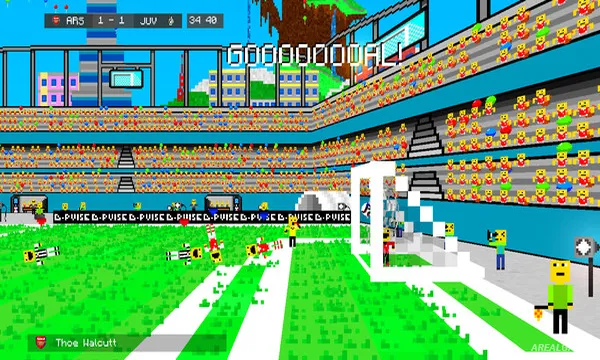
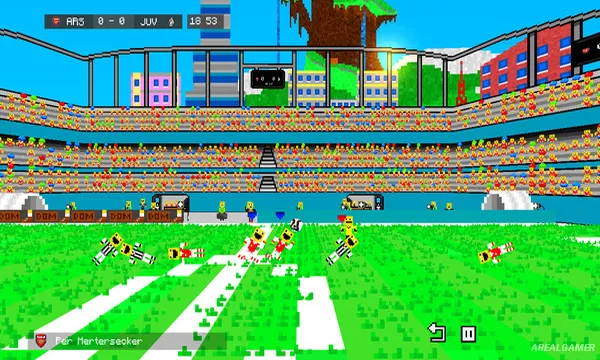
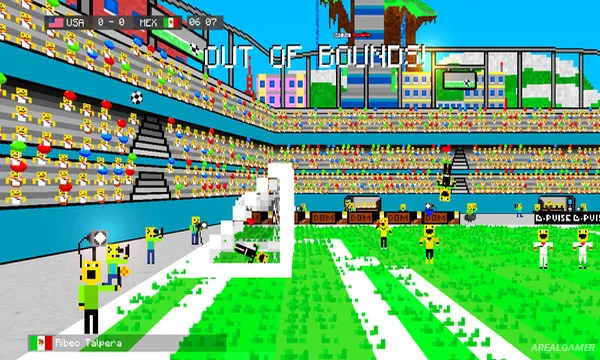
LocoSoccer Classic is an arcade-style football game built around simple controls, exaggerated movement, and quick matches. It focuses on accessible play rather than realistic simulation, licensing, or detailed team management.
The game is designed to be picked up quickly, with passing, shooting, tackling, and movement kept straightforward enough for casual competition.
How the Gameplay Works
Players control a team on the pitch, move the ball through passes, attempt shots, defend, and try to outscore the opponent before the match ends.
Different teams or modes provide variety, while replay value comes from local competition and improving timing. The title is comparatively simple and best understood as a lightweight arcade football experience. The game gradually asks players to use arcade football gameplay more intelligently rather than replacing it with unrelated mechanics. simple passing and shooting and quick matches create additional options, and local competition becomes a stronger factor once the basics are familiar. That structure rewards players who refine their approach instead of relying only on raw upgrades or repeated actions.
Main Gameplay Features
Arcade football gameplay
Simple passing and shooting
Quick matches
Local competition
Accessible controls
Casual sports presentation
Screenshots:
Minimum System Requirements:
OS: Windows XP/Vista/7/8/10
CPU: Core 2 Duo or equivalent
RAM: 512 MB
Video Card: Intel HD 4440 or better
Space Required: 100 MB
DirectX: 11
How to Install:
Extract the game using Winrar or 7zip.
Open “LocoSoccer Classic” >> “Game” folder.
Double click on “LowcoBall” icon to play the game. Enjoy!
Click the Below Button to Proceed to Download Page
File Password: arealgamer