
Made Man


Made Man: Confessions of the Family Blood – Free Download – PC Game
Game Info:
Size: 162 MB
Genre: Shooter
Release Date: November 6, 2006
Developer: SilverBack Studio
Publisher: Aspyr
About This Game:
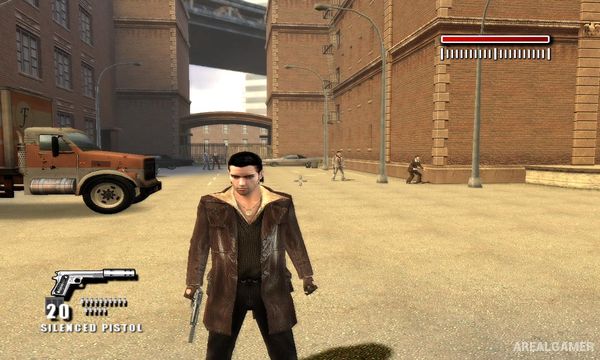
Made Man is a third-person crime shooter following Joey Verola as he moves from combat in Vietnam into the world of organized crime. The story spans several periods of his life and explores the jobs, betrayals, alliances, and violent encounters involved in becoming a recognized member of a Mafia family.
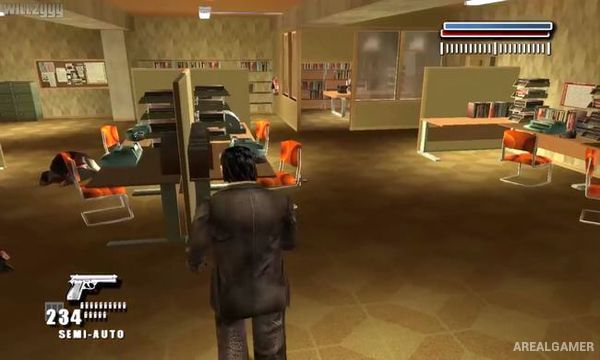
Missions move between wartime environments, city streets, warehouses, restaurants, industrial areas, and other crime-related locations. The narrative is framed as Joey recounting the events that shaped his rise through the organization.
How the Gameplay Works
Players move through linear environments while using pistols, shotguns, automatic weapons, and other firearms against groups of enemies. Cover and careful positioning help reduce incoming damage, while aiming and weapon selection become important during larger shootouts.
Some encounters allow players to target enemies from different angles or use environmental positions for an advantage. Progress is primarily story-driven, with each mission representing another major event in Joey’s criminal career.
Main Gameplay Features
Third-person crime shooter
Organized crime storyline
Playable Joey Verola
Vietnam War sequences
Multiple time periods
Pistols and automatic weapons
Shotguns
Cover-based gunfights
Urban crime environments
Story-driven missions
Mafia characters
Linear campaign
Cinematic narrative presentation
Large shootouts
Single-player action
Screenshots:

Minimum System Requirements:
OS: Windows XP/Vista/7
CPU: 1.8 GHz
RAM: 512 MB
Video Card: 3D graphics card compatible with DirectX 9
Space Required: 500 MB
DirectX: 9.0c
How to Install:
Extract the game using Winrar or 7zip.
Open “Made Man” folder, double click on “Setup” and proceed install.
After installation complete, go to the “Installed Game” location.
Double click on “IMMConfig” icon to play the game. Enjoy!
Click the Below Button to Proceed to Download Page
File Password: arealgamer