
Metal Gear Solid V: Ground Zeroes


Metal Gear Solid V: Ground Zeroes – With All DLC’s – Free Download – PC Game
Game Info:
Size: 2.94 GB
Genre: Action, Shooter, Stealth
Release Date: 18 Dec, 2014
Developer: Konami Digital Entertainment
Publisher: Konami Digital Entertainment
About This Game:
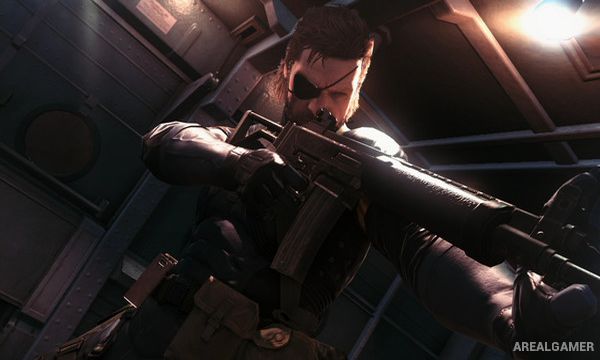
Metal Gear Solid V: Ground Zeroes is a standalone stealth-action prologue set before The Phantom Pain. Big Boss infiltrates the heavily guarded Camp Omega detention facility to rescue prisoners and uncover information connected to a growing threat.
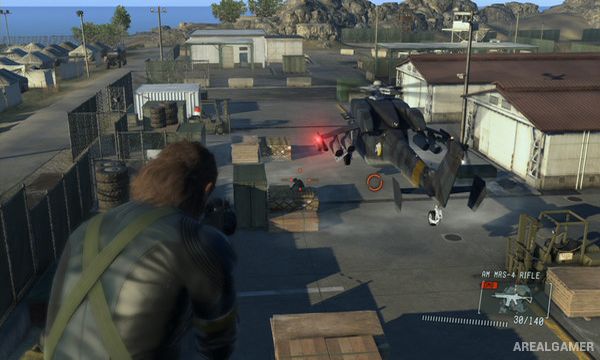
The game introduces an open mission area that can be approached from many directions. Guard patrols, watchtowers, searchlights, vehicles, fences, drainage routes, and buildings create a sandbox where observation is as important as weapon choice.
How the Gameplay Works
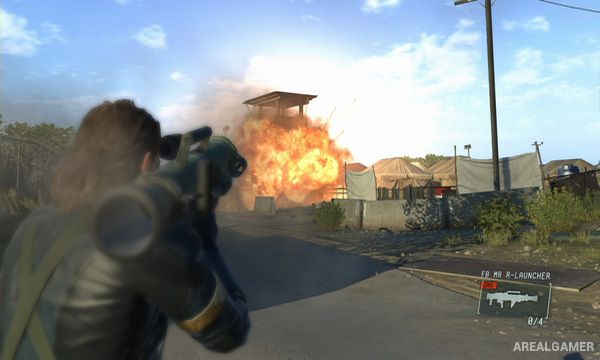
Big Boss can crawl, sprint, climb, use binoculars to mark guards, perform close-quarters takedowns, hide bodies, drive vehicles, and use lethal or tranquilizer weapons. Reflex Mode can briefly slow time when a guard discovers the player, creating a chance to stop an alarm.
After the main Ground Zeroes mission, additional Side Ops and Extra Ops reuse Camp Omega with different objectives, enemy layouts, weather, and conditions. Rankings reward speed, stealth, accuracy, rescues, and avoiding unnecessary kills.
Main Gameplay Features
Open-ended stealth sandbox
Camp Omega infiltration setting
Guard marking with binoculars
Close-quarters combat and body hiding
Lethal and non-lethal weapons
Reflex Mode detection response
Vehicles and multiple infiltration routes
Side Ops, Extra Ops, and mission rankings
Screenshots:
Minimum System Requirements:
OS: Windows 7/8/10, 64-bits
CPU: Core i5-4460 (3.20GHz) or better *Quad-Core or better
RAM: 4 GB
Video Card: NVIDIA GeForce GTX 650 (2GB) or better (DirectX 11 graphics card required)
Space Required: 4 GB
DirectX: 11
How to Install:
Extract the game using Winrar or 7zip.
Open “Metal Gear Solid V: Ground Zeroes” folder, double click on “Setup” and proceed install.
After installation complete, go to the “Installed Game” location.
Double click on “Game” icon to play the game. Enjoy!
Click the Below Button to Proceed to Download Page
File Password: arealgamer