
Samurai Shodown 5: Special


Samurai Shodown 5: Special – Free Download – PC Game
Game Info:
Size: 376.2 MB
Genre: Action, Arcade, Fighting
Release Date: April 1, 2004
Developer: Yuki Enterprise
Publisher: SNK CORPORATION
About This Game:
Samurai Shodown V Special is an enhanced version of Samurai Shodown V that brings together a large roster of warriors from across the weapon-based fighting series. Fighters wield swords, spears, claws, and other weapons, creating matches where a few carefully timed attacks can cause enormous damage.
The Special version adds returning bosses, balance adjustments, and the violent Overkill finishing system. Unlike combo-heavy fighters, Samurai Shodown places greater importance on spacing, patience, defensive reads, and knowing when to commit to a powerful strike.
How the Gameplay Works
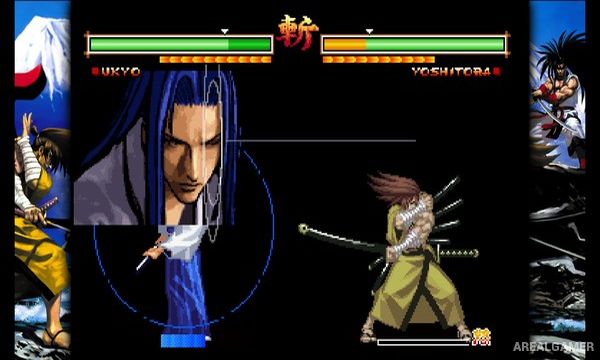
Players use light, medium, and heavy weapon attacks alongside kicks, special techniques, throws, and defensive movement. Heavy attacks are slow but extremely damaging when an opponent makes a mistake.
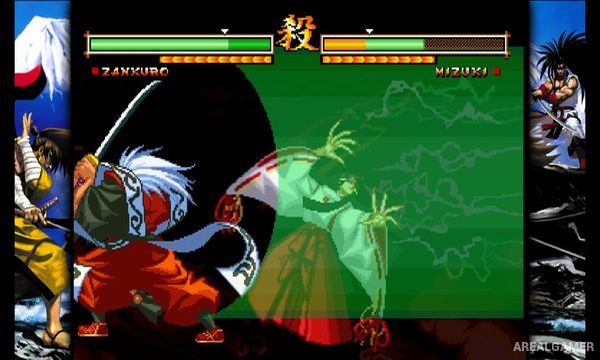
Taking damage builds the Rage Gauge, temporarily increasing offensive power and enabling additional techniques. Rage Explosion can sacrifice the normal meter for a dramatic comeback opportunity, while Overkill moves can finish a defeated opponent under specific conditions.
Main Gameplay Features
Weapon-based 2D fighting
Large Samurai Shodown roster
Sword and spear combat
High-damage heavy attacks
Rage Gauge
Rage Explosion
Special techniques
Throws
Defensive movement
Overkill finishing moves
Returning boss characters
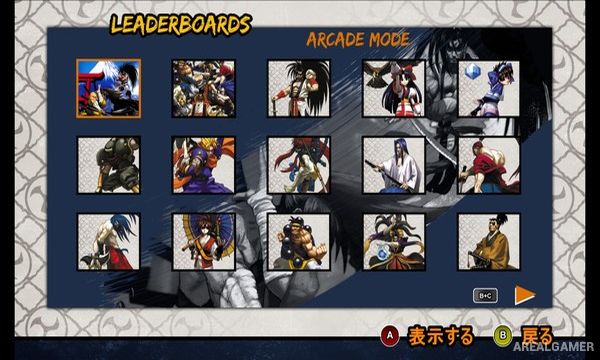
Arcade progression
Local versus play
Pixel-art presentation
Timing and spacing-focused combat
Screenshots:
Minimum System Requirements:
OS: Windows XP/Vista/7/8/10
CPU: 2.4 GHz
RAM: 1 GB
Video Card: 3D graphics card compatible with DirectX 9
Space Required: 1 GB
DirectX: 9.0c
How to Install:
Extract the game using Winrar or 7zip.
Open “Samurai Shodown 5: Special” folder, double click on “Setup” and proceed install.
After installation complete, go to the “Installed Game” location.
Double click on “Game” icon to play the game. Enjoy!
Click the Below Button to Proceed to Download Page
File Password: arealgamer