
Shadwen


Shadwen – Free Download – PC Game
Game Info:
Size: 4.55 GB
Genre: Action, Stealth
Release Date: 17 May, 2016
Developer: Frozenbyte
Publisher: Frozenbyte
About This Game:
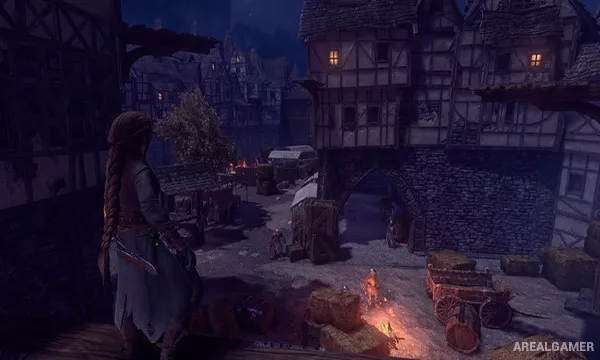
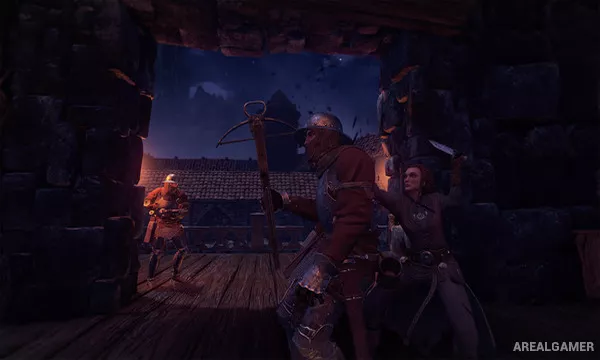
Shadwen is a third-person stealth game about an assassin attempting to reach and kill a king while accompanied by an orphan named Lily. Because Lily follows the protagonist through dangerous areas, careless actions can affect how the child views Shadwen and influence the direction of the story.
The game is built around remaining unseen and manipulating guards rather than confronting large groups openly. Its most distinctive mechanic allows time to stop whenever Shadwen is not moving, giving players the opportunity to examine the environment and plan each action carefully.
How the Gameplay Works
Time advances when the player moves and freezes when movement stops. This makes it possible to observe patrols, line up grappling-hook swings, aim distractions, and evaluate a situation before committing to an action.
Shadwen can hide in shadows, climb to higher positions, use a grappling hook, create traps, distract guards, or kill enemies. A rewind feature allows recent mistakes to be corrected. Players can attempt the journey lethally or avoid killing, with choices affecting Lily and the eventual outcome.
Main Gameplay Features
Third-person stealth
Time stops when the player stops moving
Grappling-hook traversal
Guard distractions
Craftable traps
Rewind mechanic
Lethal and nonlethal approaches
AI companion Lily
Choices affecting the ending
Screenshots:

Minimum System Requirements:
OS: Windows 7/8/10, 64-bits
CPU: Intel Core i3/i5/i7 1.8 GHz CPU dual-core. AMD 2.0 GHz dual-core.
RAM: 4 GB
Video Card: NVIDIA GeForce 260 / Radeon HD 4000 Series / Intel HD Graphics 4000
Space Required: 6 GB
DirectX: 10
How to Install:
Extract the game using Winrar or 7zip.
Open “Shadwen” >> “Game” folder, double click on “Setup” and proceed install.
After installation complete, go to the “Installed Game” location.
Double click on “Game” icon to play the game. Enjoy!
Click the Below Button to Proceed to Download Page
File Password: arealgamer