
SimCity 2000 Special Edition

SimCity 2000 Special Edition – Free Download – PC Game
Game Info:
Size: 82 MB
Genre: Simulation, Strategy
Release Date: Feb 28, 1995
Developer: Maxis Software Inc.
Publisher: Electronic Arts
About This Game:
SimCity 2000 Special Edition is a classic city-building simulation that greatly expands the systems of the original SimCity. Players control zoning, roads, power, water, taxation, public services, transportation, ordinances, and city finances while watching an empty landscape develop into a large urban center.
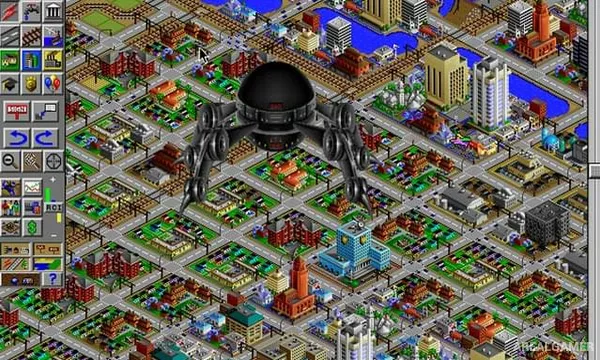
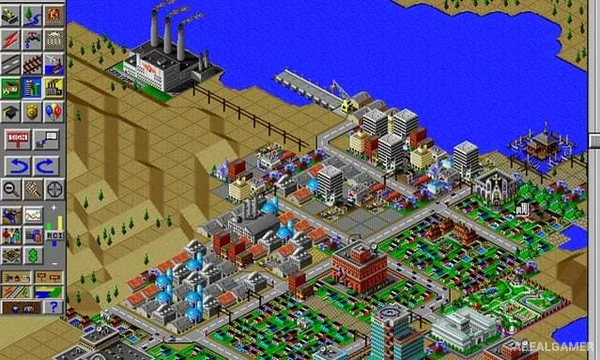
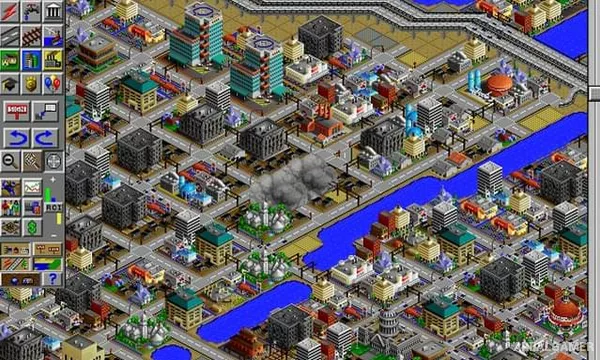
Its isometric presentation allows terrain height, buildings, transportation, and underground infrastructure to be represented with greater detail than earlier entries.
How the Gameplay Works
Players zone residential, commercial, and industrial land while constructing infrastructure required for growth. Power plants provide electricity, pipes distribute water, and transportation networks connect neighborhoods and employment areas.
Population needs become more complicated as the city expands, requiring schools, hospitals, emergency services, parks, and additional transportation. Disasters and financial problems can disrupt development, while long-term technological changes introduce newer infrastructure over time.
Main Gameplay Features
Isometric city-building simulation
Three primary zoning types
Electricity and water networks
Road, rail, subway, and highway systems
Taxation and municipal budgets
Public-service management
Terraforming tools
Natural and artificial disasters
Screenshots:
Minimum System Requirements:
OS: Windows XP/Vista/7/8/10
CPU: 1.8 GHz
RAM: 512 MB
Video Card: 3D graphics card compatible with DirectX 9
Space Required: 1 GB
DirectX: 9.0c
How to Install:
Extract the game using Winrar or 7zip.
Open “SimCity 2000 Special Edition” folder, double click on “Setup” and proceed install.
After installation complete, go to the “Installed Game” location.
Double click on “Game” icon to play the game. Enjoy!
Click the Below Button to Proceed to Download Page
File Password: arealgamer