
Slay the Spire


Slay the Spire – Free Download – PC Game
Game Info:
Size: 441 MB
Genre: Strategy
Release Date: 23 Jan, 2019
Developer: Mega Crit Games
Publisher: Mega Crit Games
About This Game:
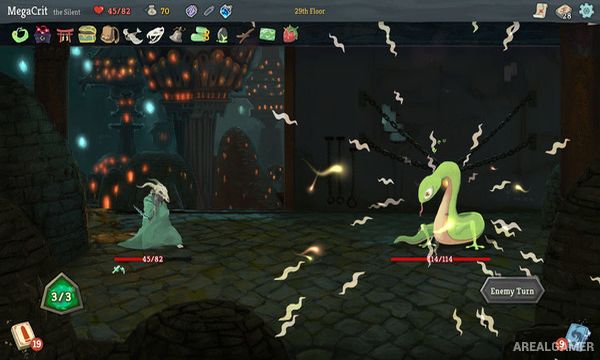
Slay the Spire is a roguelike deck-building game where every attempt begins with a small collection of cards and develops into a unique strategy as the player climbs a mysterious tower. Enemies, events, merchants, treasures, and powerful relics appear along branching routes leading toward increasingly difficult encounters.
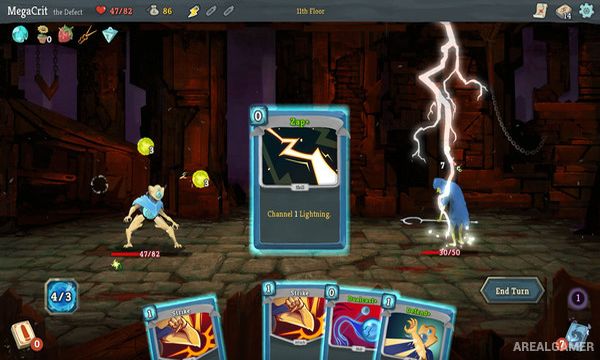
Different playable characters begin with their own cards and mechanics, encouraging completely different approaches to deck construction. Because rewards and routes change between attempts, players must adapt to what becomes available instead of relying on the exact same build every time.
How the Gameplay Works
Battles are turn-based and revolve around drawing cards from the player’s deck. Cards can attack enemies, block incoming damage, apply effects, generate resources, or interact with other cards. After many battles, players choose one of several new cards to add to the deck.
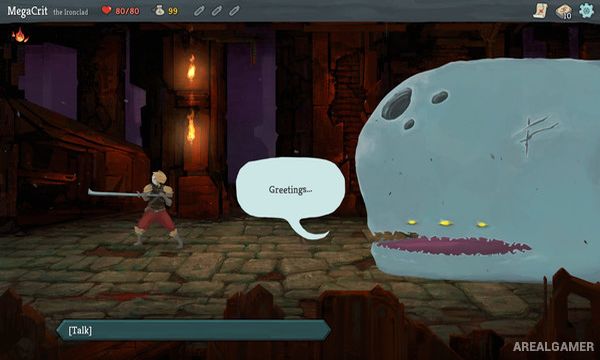
Relics provide permanent effects during a run, while merchants allow cards and useful items to be purchased or removed. Branching paths contain normal enemies, elite encounters, campfires, shops, random events, and bosses. Death ends the current attempt, but learning card combinations and enemy patterns improves the player’s chances on later runs.
Main Gameplay Features
Roguelike deck-building
Turn-based card combat
Multiple playable characters
Character-specific card pools
Branching map routes
Hundreds of card combinations
Powerful relics
Random events
Merchant shops
Elite encounters
Boss battles
Daily challenges
High replay value
Screenshots:
Minimum System Requirements:
OS: Windows 7/8/10
CPU: 2.0 Ghz
RAM: 2 GB
Video Card: 1 GB Video Memory, capable of OpenGL 3.0+ support (2.1 with ARB extensions acceptable)
Space Required: 1 GB
DirectX: 10
How to Install:
Extract the game using Winrar or 7zip.
Open “Slay the Spire” folder, double click on “Setup” and proceed install.
After installation complete, go to the “Installed Game” location.
Double click on “Game” icon to play the game. Enjoy!
Click the Below Button to Proceed to Download Page
File Password: arealgamer