
South of the Circle


South of the Circle – Free Download – PC Game
Game Info:
Size: 1.06 GB
Genre: Adventure
Release Date: 3 Aug, 2022
Developer: State of Play
Publisher: 11 bit studios
About This Game:
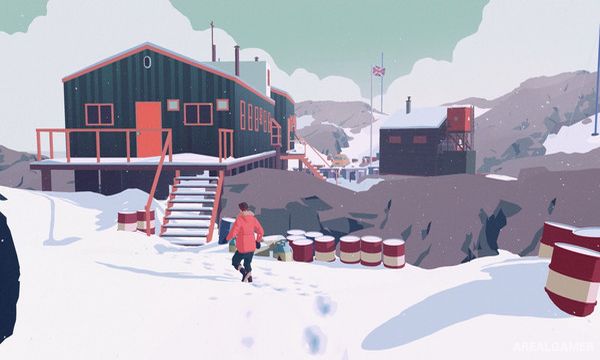
South of the Circle is a cinematic narrative adventure about memory, relationships, ambition, and political pressure during the Cold War. The story follows Peter, an academic stranded in Antarctica after a plane crash, as his struggle for survival becomes intertwined with memories of his life in Britain.
The narrative moves continuously between the frozen present and earlier moments involving Peter’s career and relationship with fellow academic Clara. Choices influence the tone of conversations while broader historical pressures shape the characters’ decisions.
How the Gameplay Works
Players guide Peter through environments and select emotional responses during conversations using a streamlined dialogue system. Choices represent attitudes such as confidence, concern, honesty, or hesitation rather than presenting lengthy text options.
Exploration is deliberately simple so the focus remains on performances and storytelling. Transitions between memories and reality occur seamlessly, gradually revealing how Peter arrived at his current situation and why particular events continue to affect him.
Main Gameplay Features
Cinematic narrative adventure
Cold War-era storyline
Antarctic survival setting
Emotion-based dialogue choices
Seamless transitions between memories and present events
Exploration-focused progression
Fully performed character conversations
Story centered on relationships and personal decisions
Screenshots:


Minimum System Requirements:
OS: Windows 7/8/10, 64-bits
CPU: 2.8 GHz Dual Core CPU
RAM: 4 GB
Video Card: GeForce GTX 660, Radeon R7 370 or equivalent with 2 GB of video RAM
Space Required: 3 GB
DirectX: 11
How to Install:
Extract the game using Winrar or 7zip.
Open “South of the Circle” folder, double click on “Setup” and proceed install.
After installation complete, go to the “Installed Game” location.
Double click on “Game” icon to play the game. Enjoy!
Click the Below Button to Proceed to Download Page
File Password: arealgamer