
Spiritfarer

Spiritfarer – Free Download – PC Game
Game Info:
Size: 1.76 GB
Genre: Adventure, Platform, Simulation
Release Date: August 18, 2020
Developer: Thunder Lotus Games
Publisher: Thunder Lotus Games
About This Game:
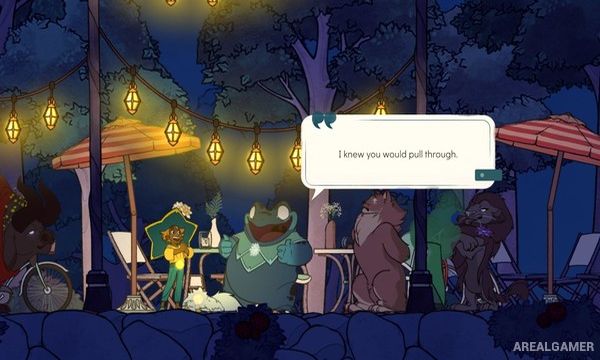
Spiritfarer is a management adventure about Stella, a new ferrymaster responsible for helping spirits complete their final journeys. Together with her cat Daffodil, Stella sails across mystical seas, meets deceased characters, learns about their lives, and provides them with a temporary home aboard her expanding boat.
The game approaches death through relationships and everyday activities rather than constant danger. Spirits request particular buildings, meals, journeys, and personal tasks before eventually becoming ready to leave the boat and pass into the afterlife.
How the Gameplay Works
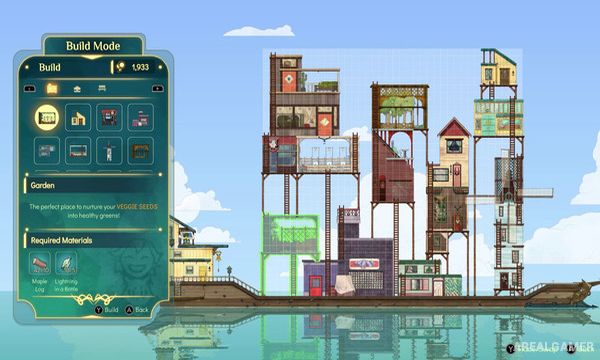
Players construct rooms and facilities directly on Stella’s boat while gathering materials needed for upgrades. Farming, fishing, mining, cooking, harvesting, crafting, and exploration provide the resources required to continue expanding.
Each spirit has individual preferences and a personal storyline that develops through conversations and quests. New movement abilities gradually open additional regions of the world, while local cooperative play allows a second player to control Daffodil.
Main Gameplay Features
Management adventure about the afterlife
Playable ferrymaster Stella
Spirit passengers
Expandable customizable boat
Farming
Fishing and mining
Cooking and crafting
Character-specific stories
Exploration across mystical seas
Movement ability upgrades
Emotional farewell sequences
Two-player local cooperative play
Screenshots:

Minimum System Requirements:
OS: Windows 7/8/10, 64-bits
CPU: Dual Core 3.0 GHz Processor
RAM: 4 GB
Video Card: DirectX 10-compatible graphics card with at least 1GB of video memory
Space Required: 7 GB
DirectX: 10
How to Install:
Extract the game using Winrar or 7zip.
Open “Spiritfarer” folder, double click on “Setup” and proceed install.
After installation complete, go to the “Installed Game” location.
Double click on “Game” icon to play the game. Enjoy!
Click the Below Button to Proceed to Download Page
File Password: arealgamer