
Star Wars Jedi Knight: Dark Forces 2


Star Wars Jedi Knight: Dark Forces 2 – Free Download – PC Game
Game Info:
Size: 607 MB
Genre: Action
Release Date: 9 Oct, 1997
Developer: LucasArts
Publisher: LucasArts, Lucasfilm, Disney
About This Game:
Star Wars Jedi Knight: Dark Forces II continues the story of mercenary Kyle Katarn as he discovers his connection to the Force and becomes involved in a struggle against Dark Jedi. The adventure combines science-fiction shooting with lightsaber combat and Force abilities across a wide range of Star Wars environments.
A morality system allows Kyle’s choices and Force development to influence whether he follows the light or dark side. Full-motion video sequences connect the missions and give the game a cinematic story uncommon among first-person shooters of its era.
How the Gameplay Works
Players explore large levels filled with enemies, switches, platforms, secrets, and mission objectives. Conventional blasters and explosives remain useful, but the lightsaber gradually becomes a major weapon as Kyle develops his Jedi abilities.
Force powers can improve movement, defense, awareness, healing, aggression, and other abilities depending on the player’s chosen alignment. Multiplayer allows players to combine weapons, lightsabers, and Force powers in competitive matches.
Main Gameplay Features
First-person Star Wars action
Lightsaber and blaster combat
Light and dark side Force powers
Morality-based story direction
Large levels with secrets and exploration
Character ability progression
Full-motion video story scenes
Competitive multiplayer
Screenshots:
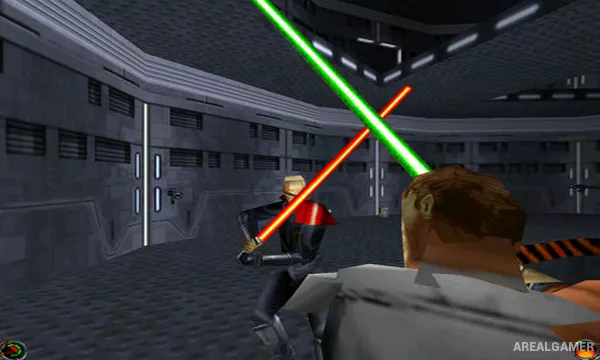
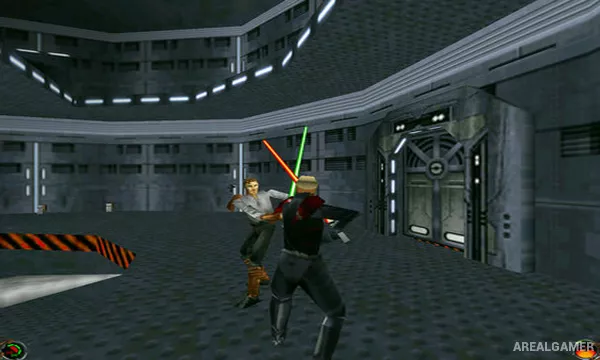
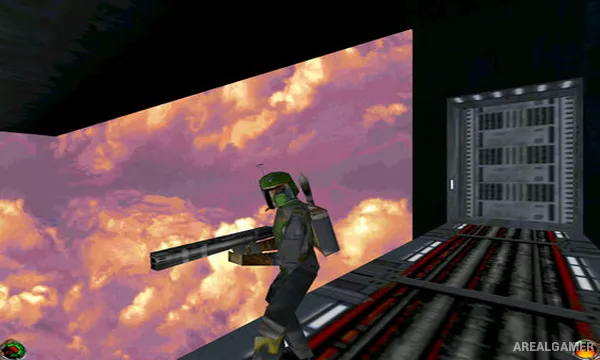
Minimum System Requirements:
OS: Windows 2000, XP or Vista
CPU: Pentium
RAM: 32 MB
Video Card: DirectX
Space Required: 1 GB
DirectX: Any
How to Install:
Extract the game using Winrar or 7zip.
Open “Star Wars Jedi Knight: Dark Forces 2″ folder, double click on “Setup” and proceed install.
After installation complete, go to the “Installed Game” location.
Double click on “JK” icon to play the game. Enjoy!
Click the Below Button to Proceed to Download Page
File Password: arealgamer