
Supreme Ruler 2010

Supreme Ruler 2010 – Free Download – PC Game
Game Info:
Size: 567 MB
Genre: Strategy
Release Date: May 12, 2005
Developer: Battlegoat Studios
Publisher: Battlegoat Studios
About This Game:
Supreme Ruler 2010 is a grand strategy and political simulation set in a near-future world where traditional nations have fragmented into smaller regions. Players take control of one of these territories and attempt to strengthen it economically, politically, and militarily while dealing with neighboring governments.
The game is not limited to warfare. Economic production, diplomacy, social programs, research, government spending, trade, and domestic policies all contribute to whether a region remains stable enough to compete with surrounding powers.
How the Gameplay Works
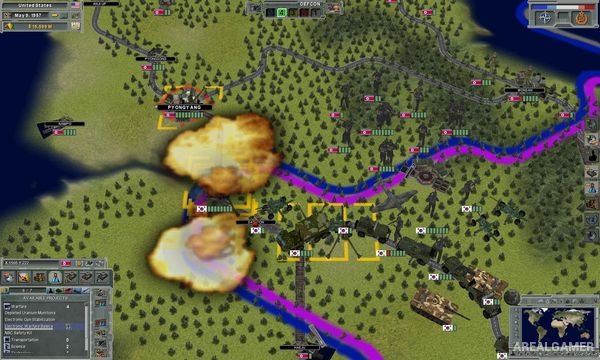
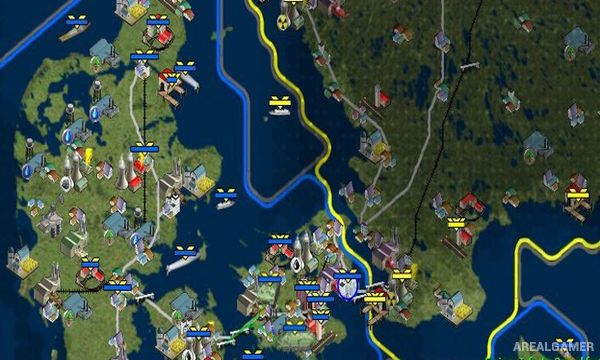
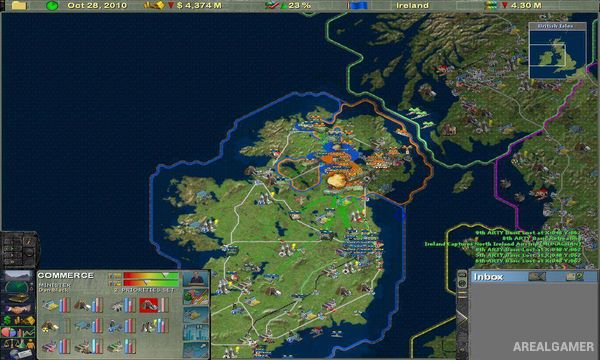
Players manage their region through a detailed strategic interface where military units, cities, infrastructure, economic resources, and political information are displayed across the map. Government policies can be adjusted while diplomatic agreements and trade relationships are developed with neighboring territories.
Military forces can be produced and positioned for defense or used to expand through force when diplomacy fails. At the same time, maintaining the economy and population is important because an expensive military cannot operate effectively without sufficient resources and government income.
Main Gameplay Features
Near-future grand strategy
Control a regional government
Detailed economic simulation
Diplomacy and international relations
Military production and command
Trade and resource management
Research and technological development
Government spending decisions
Social policy management
Political and economic expansion
Single-player scenarios
Multiplayer support
Screenshots:
Minimum System Requirements:
OS: Windows XP/Vista/7/8
CPU: 2.4 GHz
RAM: 4 GB
Video Card: 3D graphics card compatible with DirectX 9.0c
Space Required: 1 GB
DirectX: 9.0c
How to Install:
Extract the game using Winrar or 7zip.
Open “Supreme Ruler 2010″ folder, double click on “Setup” and proceed install.
After installation complete, go to the “Installed Game” location.
Double click on “Game” icon to play the game. Enjoy!
Click the Below Button to Proceed to Download Page
File Password: arealgamer