
Tandem: A Tale of Shadows


Tandem: A Tale of Shadows – Free Download – PC Game
Game Info:
Size: 3.80 GB
Genre: Adventure, Puzzle, Platformer
Release Date: October 21, 2021
Developer: Monochrome Paris
Publisher: Hatinh Interactive
About This Game:
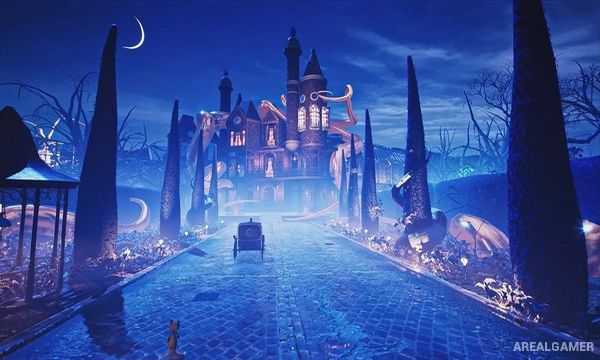
Tandem: A Tale of Shadows is a puzzle-platforming adventure following Emma and a teddy bear named Fenton as they investigate the mysterious disappearance of magician Thomas Kane. Their journey leads through five Victorian-inspired worlds filled with strange machinery, oversized environments, shadows, traps, and unsettling creatures.
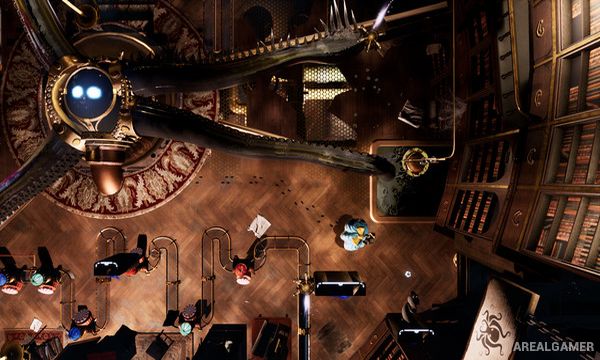
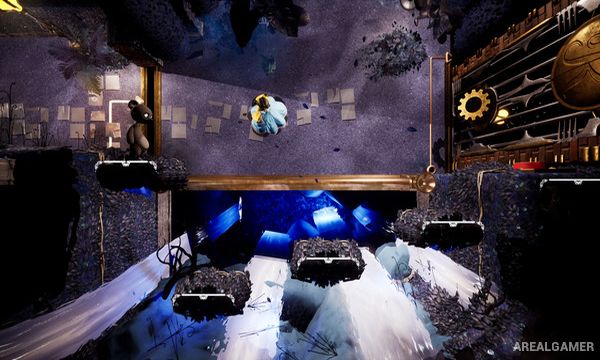
The game is built around two completely different perspectives. Emma explores from above while Fenton moves through traditional side-scrolling spaces, and progress depends on using actions in one perspective to change what becomes possible in the other.
How the Gameplay Works
Emma moves through top-down environments and can manipulate light sources to create shadows across walls and surfaces. Those shadows become physical pathways for Fenton when control switches to his side-scrolling sections.
Players alternate between both characters repeatedly, repositioning objects and light with Emma before navigating the resulting platforms with Fenton. Later puzzles introduce more complicated machinery and hazards that require close coordination between both viewpoints.
Main Gameplay Features
Puzzle-platforming adventure
Playable Emma and Fenton
Top-down Emma gameplay
Side-scrolling Fenton gameplay
Shadow-based puzzles
Light manipulation
Five Victorian-inspired worlds
Environmental machinery
Platforming challenges
Two-perspective puzzle design
Story about Thomas Kane’s disappearance
Single-player adventure
Screenshots:
Minimum System Requirements:
OS: Windows 10, 64-bits
CPU: Intel Core i5-7600K
RAM: 8 GB
Video Card: GTX 670 2Gb or equivalent
Space Required: 6 GB
DirectX: 11
How to Install:
Extract the game using Winrar or 7zip.
Open “Tandem: A Tale of Shadows” folder, double click on “Setup” and proceed install.
After installation complete, go to the “Installed Game” location.
Double click on “Game” icon to play the game. Enjoy!
Click the Below Button to Proceed to Download Page
File Password: arealgamer