
TasteMaker: Restaurant Simulator


TasteMaker: Restaurant Simulator – Free Download – PC Game
Game Info:
Size: 122 MB
Genre: Simulation
Release Date: 18 Feb, 2021
Developer: Jelle Booij
Publisher: Jelle Booij
About This Game:
TasteMaker: Restaurant Simulator is a management game that lets players design, build, and operate their own restaurant. Starting with an empty space, players choose the floor plan, construct kitchens and dining areas, purchase equipment, hire staff, create menus, and try to keep customers satisfied.
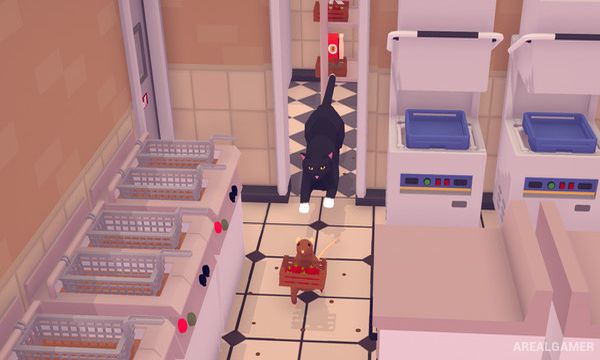
Success depends on more than simply serving good food. Cleanliness, seating capacity, staff efficiency, ingredient supply, menu pricing, kitchen organization, and customer waiting times all influence whether the restaurant can remain profitable and continue expanding.
How the Gameplay Works
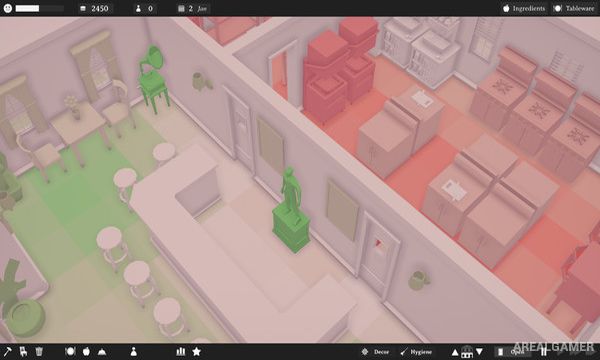
Players place walls, doors, tables, chairs, stoves, refrigerators, sinks, toilets, and other equipment before opening the restaurant. Employees handle cooking, serving, cleaning, and other jobs according to their assigned roles.
Ingredients must be purchased and menu items selected with costs and selling prices in mind. As customer numbers increase, inefficient kitchens or badly planned layouts create longer waiting times, encouraging players to redesign the restaurant and hire additional staff before expanding further.
Main Gameplay Features
Restaurant construction and management
Custom floor-plan design
Kitchen equipment placement
Menu creation
Ingredient purchasing
Staff hiring and task management
Customer satisfaction
Cleaning and hygiene systems
Pricing and financial management
Restaurant expansion
Screenshots:

Minimum System Requirements:
OS: Windows 7/8/10
CPU: Intel Core i3-5010U 2.10 GHz
RAM: 4 GB
Video Card: Intel HD Graphics 5500
Space Required: 500 MB
DirectX: 11
How to Install:
Extract the game using Winrar or 7zip.
Open “TasteMaker: Restaurant Simulator” folder, double click on “Setup” and proceed install.
After installation complete, go to the “Installed Game” location.
Double click on “Game” icon to play the game. Enjoy!
Click the Below Button to Proceed to Download Page
File Password: arealgamer