
The Darkside Detective: A Fumble in the Dark


The Darkside Detective: A Fumble in the Dark – Free Download – PC Game
Game Info:
Size: 571 MB
Genre: Adventure
Release Date: 15 Apr, 2021
Developer: Spooky Doorway
Publisher: Akupara Games
About This Game:
The Darkside Detective: A Fumble in the Dark is a comedic point-and-click adventure following Detective Francis McQueen as he investigates supernatural incidents around Twin Lakes. After the disappearance of his partner Officer Dooley, McQueen becomes involved in a new collection of cases filled with ghosts, monsters, occult problems, and questionable police work.
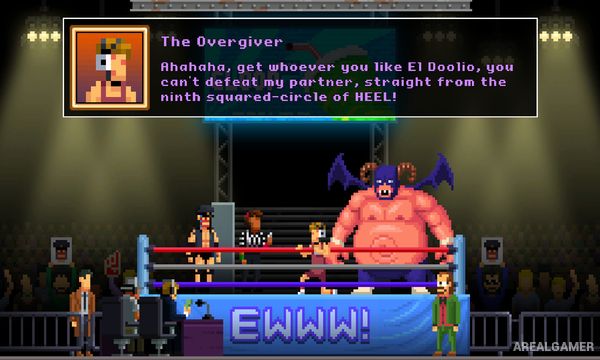
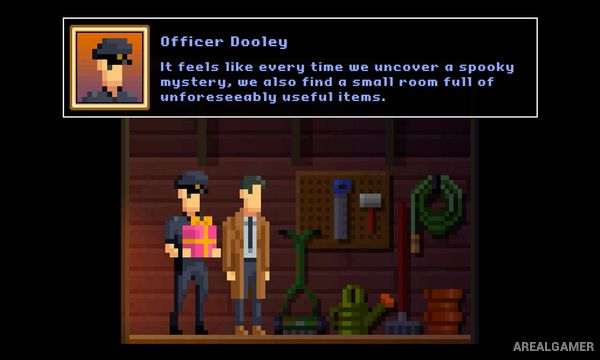
Each case combines paranormal mysteries with constant jokes and absurd characters. Pixel-art environments keep the presentation intentionally simple while allowing the writing and puzzle situations to take center stage.
How the Gameplay Works
Players explore locations, speak with characters, collect inventory items, and use them to solve puzzles. Important clues are frequently hidden inside humorous conversations or unusual environmental interactions.
Individual cases function as self-contained investigations while contributing to broader character stories. Solutions generally involve combining objects, revisiting earlier locations, questioning suspects, and applying adventure-game logic to supernatural situations.
Main Gameplay Features
Point-and-click investigation
Multiple paranormal cases
Inventory-based puzzle solving
Dialogue-heavy comedy
Pixel-art environments
Recurring detectives and supporting characters
Supernatural locations and creatures
Self-contained case structure
Story-focused adventure gameplay
Screenshots:

Minimum System Requirements:
OS: Windows XP/7/8/10
CPU: Pentium 4
RAM: 2 GB
Video Card: Intel HD Chipset 3000
Space Required: 1 GB
DirectX: 10
How to Install:
Extract the game using Winrar or 7zip.
Open “The Darkside Detective A Fumble in the Dark” folder, double click on “Setup” and proceed install.
After installation complete, go to the “Installed Game” location.
Double click on “Game” icon to play the game. Enjoy!
Click the Below Button to Proceed to Download Page
File Password: arealgamer