
The Strange Lights


The Strange Lights – Free Download – PC Game
Game Info:
Size: 15.6 GB
Genre: Horror
Release Date: 7 Feb, 2026
Developer: JustTomcuk
Publisher: JustTomcuk
About This Game:
The Strange Lights is a short first-person horror experience built around an unexplained nighttime incident. After a local resident hears a powerful noise and notices unusual lights outside, curiosity leads away from the safety of home and toward increasingly unsettling locations connected to whatever happened.
The game follows the structure of a compact walking simulator, focusing on atmosphere, environmental storytelling, and the uncertainty created by exploring quiet places after dark. An old industrial area becomes part of the investigation as the source of the strange activity grows closer.
How the Gameplay Works
Players move through dark environments from a first-person perspective while following clues and investigating the unusual lights. Exploration is straightforward, with observation and movement forming most of the experience rather than complicated combat systems.
New areas gradually reveal additional details surrounding the nighttime event. Sounds, lighting, abandoned spaces, and unexpected occurrences provide most of the tension as players continue toward the source of the mystery.
Main Gameplay Features
Short first-person horror game
Walking simulator structure
Mysterious nighttime lights
Atmospheric exploration
Dark outdoor environments
Old industrial locations
Environmental storytelling
Suspense-focused progression
Minimalist gameplay
Unexplained supernatural events
Single-player experience
Compact horror storyline
Screenshots:
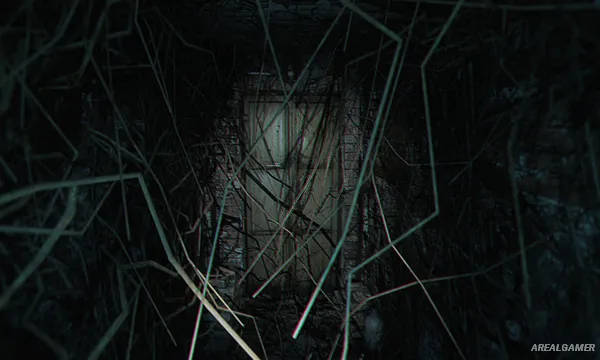
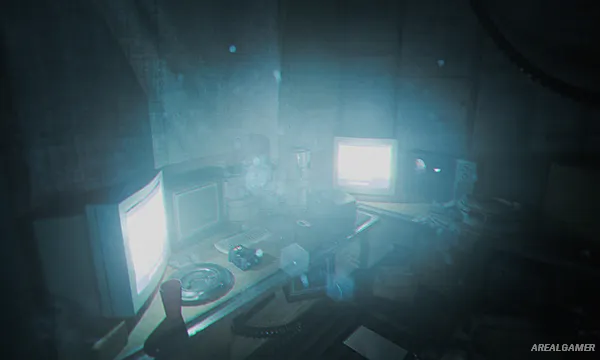

Minimum System Requirements:
OS: Windows 10, 64-bit
CPU: Intel Core i5
RAM: 8 GB
Video Card: NVIDIA GeForce GTX 760
Space Required: 17 GB
DirectX: 11
How to Install:
Extract the game using Winrar or 7zip.
Open “The Strange Lights” >> “Game” folder.
Double click on “TheStrangeLights” icon to play the game. Enjoy!
Click the Below Button to Proceed to Download Page
File Password: arealgamer