
ART OF FIGHTING 2


ART OF FIGHTING 2 – Free Download – PC Game
Game Info:
Size: 51.5 MB
Genre: Action, Arcade, Fighting
Release Date: January 1, 1994
Developer: SNK CORPORATION
Publisher: SNK CORPORATION
About This Game:
ART OF FIGHTING 2 is a classic SNK fighting game set shortly before the events of Fatal Fury. Returning fighters such as Ryo Sakazaki, Robert Garcia, Yuri Sakazaki, King, and Mr. Big are joined by additional competitors as a mysterious martial arts tournament draws them together.
The game retains the large character sprites and Spirit Gauge of the original while expanding the playable roster considerably. Fighters have unique martial arts styles and powerful Desperation Moves that can turn a close round around when the correct conditions are met.
How the Gameplay Works
Players fight one-on-one using punches, kicks, throws, special techniques, and taunts. Many special attacks consume energy from the Spirit Gauge, preventing players from using them endlessly without allowing the meter to recover.
Taunting can lower an opponent’s Spirit, creating a tactical way to reduce access to special moves. Character faces can visibly show damage during fights, while completing the single-player route under specific conditions can reveal an additional secret opponent.
Main Gameplay Features
Classic SNK one-on-one fighting
Large character sprites
Expanded playable roster
Ryo Sakazaki and Robert Garcia
Spirit Gauge
Special martial arts techniques
Desperation Moves
Taunts reduce enemy Spirit
Throws
Visible facial damage
Arcade story progression
Secret opponent
Local versus play
Neo Geo fighting style
Screenshots:

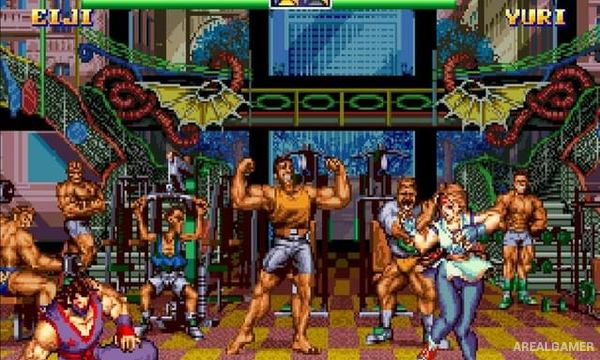
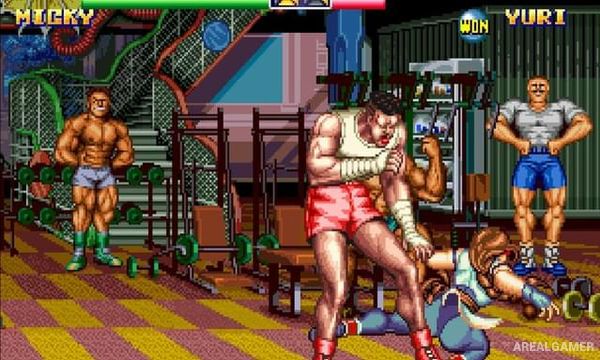
Minimum System Requirements:
OS: Windows XP/Vista/7
CPU: 1.8 GHz
RAM: 1 GB
Video Card: Graphics card compatible with DirectX 9
Space Required: 100 MB
DirectX: 9.0c
How to Install:
Extract the game using Winrar or 7zip.
Open “ART OF FIGHTING 2” folder, double click on “Setup” and proceed install.
After installation complete, go to the “Installed Game” location.
Double click on “Game” icon to play the game. Enjoy!
Click the Below Button to Proceed to Download Page
File Password: arealgamer