
UFO: Afterlight


UFO: Afterlight – Free Download – PC Game
Game Info:
Size: 2.29 GB
Genre: Strategy
Release Date: March 16, 2007
Developer: Altar Interactive
Publisher: Bohemia Interactive
About This Game:
UFO: Afterlight is a science-fiction tactical strategy game set on Mars after humanity’s struggle against alien forces has left a small colony isolated from Earth. Players manage the settlement while exploring the planet, researching technology, developing infrastructure, and defending territory from hostile species.
The game combines a strategic planetary layer with real-time tactical missions that can be paused whenever orders need to be changed. Individual soldiers and scientists gain experience over time, making experienced personnel valuable members of the colony.
How the Gameplay Works
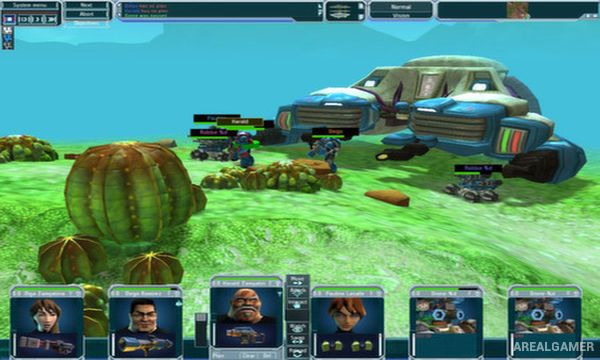
On the strategic map, players assign research, manufacture equipment, manage resources, build facilities, and expand into additional territories. Encountering hostile forces leads to squad-based missions on detailed tactical maps.
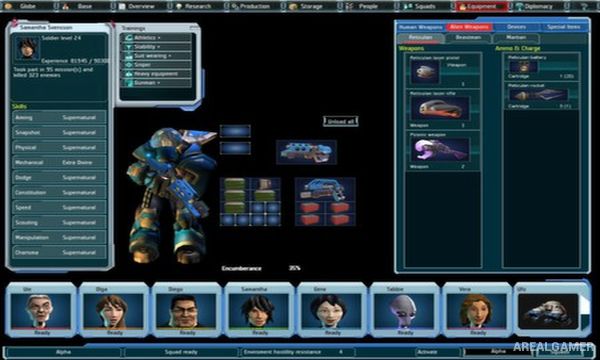
Combat runs in real time with a pause-and-plan system. Players issue movement, firing, stance, and ability orders before allowing time to continue. Weapons, armor, implants, and skills can be customized for individual team members as their specialties develop.
Main Gameplay Features
Mars colony management
Strategic planetary map
Real-time tactical combat
Pause-and-plan controls
Persistent squad members
Character skill development
Research system
Equipment manufacturing
Base construction
Resource management
Multiple alien factions
Weapons and armor customization
Territorial expansion
Story-driven science-fiction campaign
Squad-based missions
Screenshots:

Minimum System Requirements:
OS: Windows 7/8/10
CPU: 1.8 GHz
RAM: 512 MB
Video Card: Graphics card compatible with DirectX 9 (Intel integrated cards are not supported)
Space Required: 3 GB
DirectX: 9.0c
How to Install:
Extract the game using Winrar or 7zip.
Open “UFO: Afterlight” folder, double click on “Setup” and proceed install.
After installation complete, go to the “Installed Game” location.
Double click on “Game” icon to play the game. Enjoy!
Click the Below Button to Proceed to Download Page
File Password: arealgamer