
BEYBLADE X EVOBATTLE


BEYBLADE X EVOBATTLE – Free Download – PC Game
Game Info:
Size: 1.89 GB
Genre: Action
Release Date: 13 Nov, 2025
Developer: 株式会社グルーブボックスジャパン
Publisher: FURYU CORPORATION
About This Game:
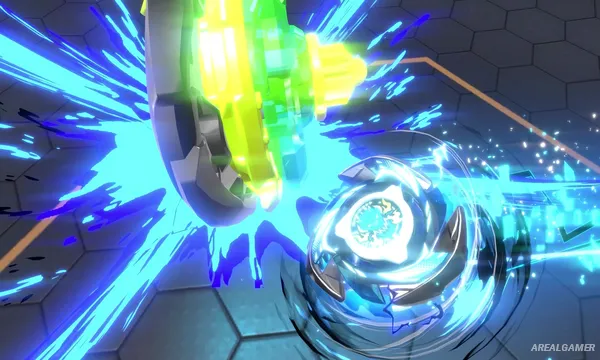
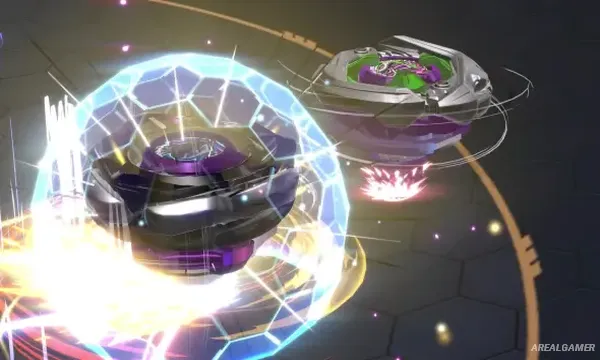
BEYBLADE X EVOBATTLE is a competitive Beyblade game built around high-speed battles, customization, and the different performance characteristics of individual Beys. It expands the digital interpretation of the Beyblade X system with battles designed to more closely reflect differences between types and part combinations.
Alongside regular competition, the game includes a story mode where players meet other Bladers, compete, cooperate, and participate in the Bey Battle Royal. Collecting and configuring Bey parts is a central part of preparing for stronger opponents.
How the Gameplay Works
Players assemble a Bey before launching it into an arena against an opponent. Performance depends heavily on the selected parts and type characteristics, so attack-focused, defensive, stamina-oriented, and other configurations require different strategies.
Battles emphasize the extreme speed associated with the Beyblade X system, while customization lets players alter their setups between encounters. Progress through EVOSTORY introduces new rivals and allies as the player works toward higher-level competitions.
Main Gameplay Features
High-speed Beyblade X battles
Bey part customization
Different Bey type characteristics
Strategy based on individual configurations
EVOBATTLE competitive system
EVOSTORY campaign
Bey Battle Royal events
New rivals and allies
Part collection
Bey appearance customization
Online interactive features
Screenshots:

Minimum System Requirements:
OS: Windows 10, 64-bit
CPU: Intel® Core™ i5-4460
RAM: 8 GB
Video Card: NVIDIA GeForce GTX 750
Space Required: 6 GB
DirectX: 12
How to Install:
Extract the game using Winrar or 7zip.
Open “BEYBLADE X EVOBATTLE” folder, double click on “Setup” and proceed install.
After installation complete, open “RUNE” folder.
Copy all files and paste it where you “Installed the Game”.
Double click on “Game” icon to play the game. Enjoy!
Click the Below Button to Proceed to Download Page
File Password: arealgamer