
Cobra Kai: The Karate Kid Saga Continues


Cobra Kai: The Karate Kid Saga Continues – Free Download – PC Game
Game Info:
Size: 3.62 GB
Genre: Action, Fighting
Release Date: 5 Jan, 2021
Developer: Flux Games
Publisher: GameMill Entertainment
About This Game:
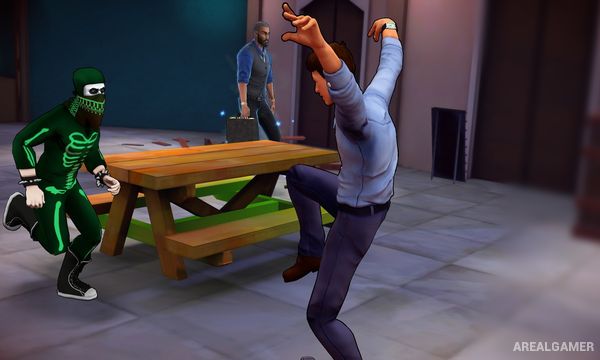
Cobra Kai: The Karate Kid Saga Continues is a side-scrolling beat-’em-up based on the Cobra Kai television series. Players can follow storylines associated with either Miyagi-Do or Cobra Kai while controlling familiar characters and fighting through locations inspired by the show.
Each dojo has its own playable fighters and progression, providing different moves and abilities. The story uses an exaggerated action-game interpretation of the rivalry rather than recreating every television event exactly as it appeared on screen.
How the Gameplay Works
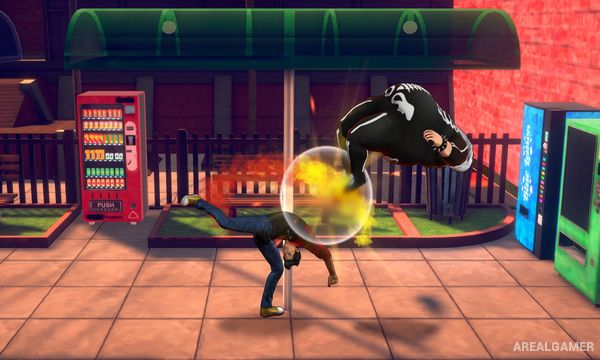
Players move through side-scrolling stages while punching, kicking, throwing enemies, launching opponents, and using special techniques. Characters can be switched during missions, allowing different fighters’ abilities to be combined during longer encounters.
Experience and progression systems unlock additional attacks and strengthen the team. Environmental interactions and elemental-style special abilities add variety to the traditional beat-’em-up combat.
Main Gameplay Features
Side-scrolling beat-’em-up combat
Characters from the Cobra Kai series
Miyagi-Do and Cobra Kai story paths
Character switching during stages
Upgradeable skills and attacks
Special dojo abilities
Combo-based combat
Local cooperative play
Boss encounters
Screenshots:

Minimum System Requirements:
OS: Windows 7/8/10, 64-bits
CPU: AMD FX-4350, 4.2 GHz / Intel Core i5-3470, 3.20 GHz
RAM: 4 GB
Video Card: Radeon HD 6870, 1 GB / GeForce GTX 650 Ti, 1 GB
Space Required: 6 GB
DirectX: 11
How to Install:
Extract the game using Winrar or 7zip.
Open “Cobra Kai: The Karate Kid Saga Continues” folder, double click on “Setup” and proceed install.
After installation complete, open “CODEX” folder.
Copy all files and paste it where you “Installed the Game”.
Double click on “Game” icon to play the game. Enjoy!
Click the Below Button to Proceed to Download Page
File Password: arealgamer